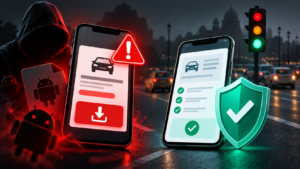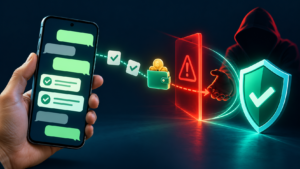
Pausing to verify a suspicious request through a trusted channel can prevent account takeover and payment fraud.
Start here: Online safety is a set of habits for protecting accounts, devices, money and personal information. This guide helps readers in any country choose the right prevention or recovery steps. Reporting systems and provider procedures vary; use verified services for your own location.
If something has already happened
Write down what you actually did: viewed a message, opened a link, entered a password, shared a code, installed software or approved a payment. Those actions create different response needs. A suspicious message alone does not establish that a device or account has been compromised.
| Situation | First practical step | Detailed guide |
|---|---|---|
| You shared a password or verification code | Open the provider’s genuine app or website independently and follow its recovery process. | OTP scams and account recovery |
| Your phone unexpectedly lost service | Contact your carrier through a trusted channel, then secure accounts that depend on that number. | SIM-swap and eSIM hijacking |
| You paid a suspicious request | Contact your bank or payment provider promptly using its genuine support route. | Cybercrime response checklist |
| A contact’s voice or video pressured you to act | Verify through a separate, previously trusted contact method. | Deepfake verification |
| A job offer requires deposits to unlock earnings | Stop sending money; preserve messages and payment records. | WhatsApp task scams |
Recovery is not guaranteed. For organizational accounts or devices, involve the responsible IT or security team. If someone faces immediate physical danger, contact emergency services appropriate to their location.
Build an account-security foundation
Prioritize accounts that can reset others, especially your main email. Use unique passwords and a password manager; enable multi-factor authentication where available. Keep recovery information current and store backup codes securely. CISA’s online-safety guidance groups password security, additional authentication, phishing awareness and software updates as practical foundations.
For stronger authentication and recovery planning, read passkeys and phishing-resistant account security. Additional authentication reduces some risks, but a code or approval can still be stolen or obtained through deception. Never approve a sign-in you did not initiate.
Verify requests before acting
An urgent tone, familiar logo or convincing caller does not establish identity. Open the service independently instead of using contact details supplied in the suspicious message. For a person you know, use a saved number or another trusted channel. Confirm what is being requested before sharing information, granting access or authorizing payment.
Keep requests for passwords, verification codes, remote access and money separate in your thinking. A promise of a refund, prize or job can conceal a different action on the screen. Our cybercrime guide explains prevention and response without assuming a particular national reporting system.
Protect devices and recovery options
Keep supported software updated and maintain backups you can restore. Store encryption recovery keys securely. CISA’s device-data guidance explains why backups and recovery-key planning matter. A backup that is inaccessible during an incident provides little practical help.
When a browser homepage changes, investigate the setting and recent software changes before assigning a malware label. See the Mintnav homepage guide for an example of checking symptoms without assuming their cause.
Understand privacy tools and their limits
Security and privacy overlap, but they are different questions. Ask what information a service collects, who can access it and how long it is retained. Start with practical data-privacy steps. For network tools, use the VPN benefits-and-limits guide before treating a subscription as a complete safety solution.
Choose the guide for the request you received
- Unexpected fines and toll messages: verify the authority and payment route.
- Payment requests: check who is asking and what approval will do.
- WhatsApp messages: verify identity and review account access.
- Official impersonation and family emergencies: use independent verification before paying.
A repeatable household or small-team check
- Identify the email and other accounts that control recovery.
- Review passwords, authentication and recovery information.
- List devices or apps that no longer receive security support.
- Check that important files and recovery keys are accessible from a trusted device.
- Agree how to verify unusual requests and where to find genuine provider support.
- Keep an incident note with relevant times, actions and transaction references; do not circulate passwords or codes.
This checklist is an editorial planning aid. It does not establish that an account is secure or replace an organization’s incident-response procedure.
Glossary
- Phishing: a deceptive attempt to obtain information or induce an unsafe action.
- Multi-factor authentication: a login process requiring more than one kind of evidence.
- Recovery channel: a provider-approved route for regaining account access.
- Backup: a separate recoverable copy of important information.
- Independent verification: checking through a trusted channel separate from the suspicious request.
Sources and editorial review
Updated 1 October 2026. This global guide links to primary security guidance and the relevant detailed articles. It does not prescribe one country’s laws, emergency numbers or reporting portal for everyone. Provider procedures and outcomes vary. Send corrections through our contact page; see our editorial policy for our approach.
Written and prepared by Kshitij Gupta.