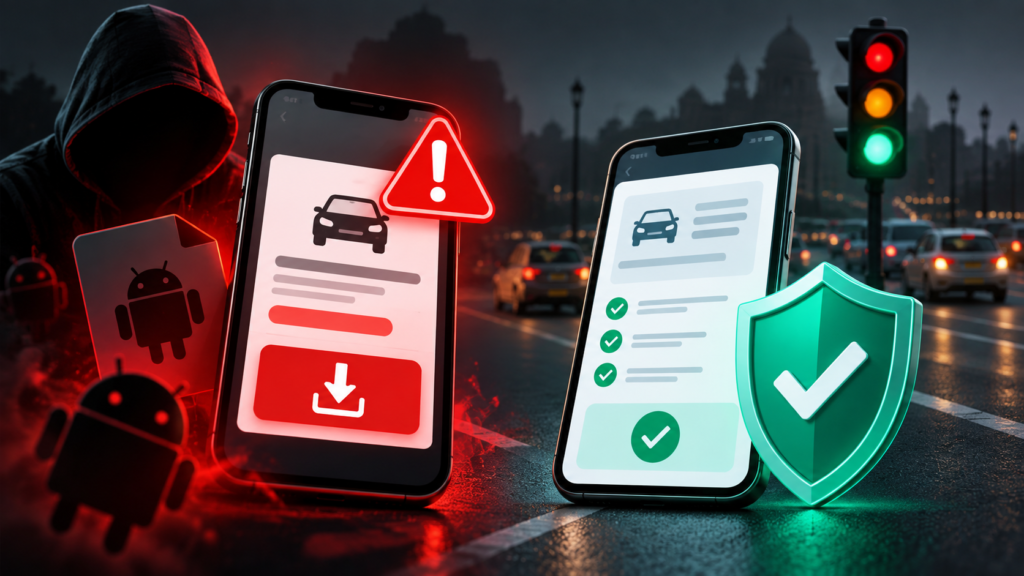
A fine or unpaid-toll notice is a claim to verify, not proof that the sender is an authority. Open the relevant authority’s genuine service independently before sharing details, installing an app or paying. This guide covers readers in any country; the issuing authority and reporting system will differ.
Payment links, QR codes and app downloads are different traps
The FTC’s unpaid-toll warning describes impersonated collection messages leading to pages that seek payment and personal information. Its traffic-violation warning describes official-looking notices and QR codes used to pressure recipients. These are documented examples from one regulator, not a measurement of worldwide incidence.
A QR code is another route to a destination; it does not authenticate that destination. A message may instead offer an Android installation file. Treat the claimed debt, the payment destination and any software request as separate things to verify.
How the installation trap works
The message presents a familiar administrative task: check a traffic violation, see photographic evidence, or clear a pending payment. The dangerous change comes when completing that task supposedly requires installing software from the message.
Urgency can make a routine administrative task feel like an emergency. Pause long enough to find the issuing authority independently. A threat in a message is not a substitute for checking the actual record.
The following is an illustrative sequence, not a reconstruction of a particular victim’s experience:
| Stage | What the message asks you to believe | A safer decision |
|---|---|---|
| A notice arrives | The sender has official authority | Treat the claim as unverified |
| A deadline appears | You must act before checking | Open a government service independently |
| An app is offered | Installing it is necessary to see the fine | Decline the message attachment |
| Permissions are requested | Broad phone access is routine | Stop and examine what access is being requested |
| Payment details are requested | The app is a legitimate collection service | Confirm the record and payment route through the authority |
A logo, a vehicle number, or a plausible amount gives you a reason to investigate the notice. None establishes that the attached software is trustworthy. Judge the installation request separately from the information displayed around it.
Why Android permissions matter
Android allows apps to request access to particular phone features. Google’s documentation explains that SMS permission allows an app to send and check text messages, while contacts permission provides access to the contact list. You can inspect an app’s permissions in Settings → Apps → [app name] → Permissions; menu names vary across devices. Google’s app-permission guide.
That distinction helps explain the risk without exaggerating it. Receiving an attachment does not prove your phone is infected. Downloading a file, installing an app, granting access, and entering credentials are different events. When seeking help, describe precisely which happened.
For a fine-checking task, ask a simple question before allowing access: “Why would this task require access to my messages or contacts?” If the answer is unclear, stop rather than approving permissions to get past the screen.
How to check a fine or toll independently
Identify the relevant traffic authority, court, parking operator or toll service for the claimed charge. Use its verified website, genuine app or independently obtained telephone number. There is no single global portal for all fines, and a familiar logo or case number does not prove a message is genuine.
Use this verification routine:
- Close the suspicious message and open your browser separately.
- Use the verified service address or use a bookmark you previously verified.
- Follow the portal’s own instructions to locate the record.
- Compare the relevant vehicle or account, issuing authority, charge information and payment status.
- If the notice and official record disagree, contact the relevant authority using details found independently on its website.
An unavailable or missing record leaves a question to resolve. It is not a reason to install the sender’s app. Similarly, a genuine outstanding fine does not authenticate an unrelated message offering to collect it.
What to do if you interacted with the message
You received it or downloaded a file
Do not open or install an attachment to investigate it. Preserve relevant evidence if needed, then remove the unwanted download. Record whether you merely received the message, opened a page, entered information or installed software; those actions call for different responses.
You installed the suspicious app
Stop using a suspicious app. Seek device support if you cannot safely remove it or if unfamiliar activity continues. Use a separate trusted device for sensitive account changes if the phone may remain compromised. Tell your provider what you installed, what access you granted and what information you entered.
For a device check, open Google Play Store → profile icon → Play Protect. Google explains that Play Protect checks apps, including apps from other sources, and can warn about, disable, or remove harmful software. Keep its scanning enabled. A scan is a useful check; do not treat the absence of a warning as proof that no credentials or information were exposed. Google Play Protect documentation.
If you see unfamiliar Google Account activity, review security events, signed-in devices, and recovery information. Google’s compromised-account guide explains the recovery process and recommends changing exposed passwords and addressing unfamiliar account access. Google Account recovery guidance.
Money has moved without your permission
Contact your bank or payment provider promptly through independently verified support. Ask about securing the account and the appropriate transaction-reporting or dispute process. Report to the relevant police, cybercrime or consumer-protection service for your location. Do not use reporting contacts supplied by the suspected scammer.
Have the transaction reference, time, amount, recipient details, and suspicious message ready if available. Record complaint acknowledgements. Prompt reporting is appropriate, but this article cannot promise that funds will be recovered.
A family verification exercise
Practise before a suspicious message arrives. Ask a family member to find the government portal without using a forwarded link. Then ask them to explain the difference between checking a fine and installing an app.
Use this sentence as a household rule: “We will check the fine independently before downloading software or paying.” Save the verified portal and your bank’s official support details where everyone can find them. Keep the practice focused on a repeatable action rather than memorising every possible scam message.
Glossary
| Term | Meaning in this guide |
|---|---|
| APK | An Android application installation package |
| Impersonation | Pretending to be a trusted organisation or person |
| Permission | Access an app is allowed to use on the phone |
| OTP | A one-time password used in an authentication or verification step |
| Independent verification | Checking through a trusted route you obtain separately from the message |
Key takeaways
- Check the fine through a verified government service before acting on a message.
- Distinguish receiving a file, installing software, granting access, and exposing credentials.
- Use bank support and official reporting routes promptly if money or account access is affected.
Continue with The Infosiast’s global online-safety guide and Google Account security guide.
Sources and editorial transparency
Sources appear beside the claims they support. FTC alerts document particular scam patterns; Google documentation explains Android controls and account recovery. The verification exercise is an original planning aid. No malware sample was installed or analysed, and no bank or authority’s recovery outcome is guaranteed.
Written and prepared by Kshitij Gupta. Sources checked on 1 October 2026. Report corrections through The Infosiast contact page and include the passage, supporting source, and relevant device details. See the site’s editorial policy.