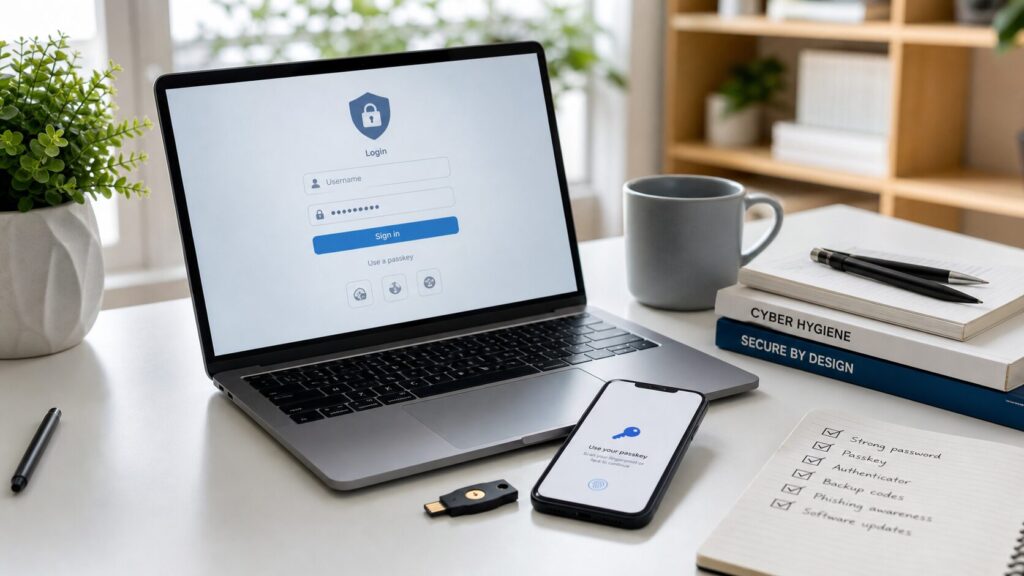
Passkeys, authenticator apps, recovery codes, and hardware security keys work best when they are planned together.
Improve sign-in protection and plan recovery together. Passkeys and suitable security keys can resist phishing at authentication, but a stronger login does not automatically secure every recovery route or prevent a deceptive payment. This guide helps readers anywhere choose account protections and maintain access safely.
What a passkey changes
A passkey is a cryptographic credential used by a supporting website or app. Instead of sharing a reusable account password with the service, authentication uses a key pair and a challenge-response process. A device’s supported verification method, such as its unlock mechanism, authorizes use of the credential.
The FIDO Alliance’s passkey overview explains the model and its resistance to phishing. Passkeys may be synchronized through a provider or bound to a device such as a hardware security key. These choices affect availability and backup planning. Do not assume every provider offers identical migration or recovery.
Distinguish authentication options
| Option | Main planning question | Limit to remember |
|---|---|---|
| Unique password | Where is it stored and how is it recovered? | A person can still disclose it to a deceptive page. |
| One-time code | Which channel delivers or generates it? | A code can be requested through social engineering. |
| Synced passkey | Which provider makes it available on your devices? | The provider account and recovery process also need protection. |
| Device-bound passkey or security key | What happens if the device or key is unavailable? | Backup credentials and service-specific recovery remain important. |
This is an editorial planning comparison, not a ranking of specific products. Use the methods actually supported by the service and follow its current documentation.
Start with accounts that control other accounts
Map your primary email, credential manager, mobile-provider account, important financial services, work accounts and essential cloud storage. Mark which ones can reset another account. Start with that recovery chain rather than changing every shopping login at once.
Record the provider and available methods without writing down passwords, codes or private keys in a shared worksheet. For workplace services, follow your organization’s approved process; an administrator may control authentication and recovery settings.
Set up a supported method carefully
- Open the service independently on a trusted device.
- Read the available sign-in and recovery options.
- Add the supported credential through the genuine account settings.
- Keep an approved backup route available while confirming the new method works.
- Review old devices, account sessions and recovery contacts.
Do not delete your only working credential before understanding recovery. Keep any recovery codes in a secure location you can reach if the usual device is lost. A backup stored only on the inaccessible device may not help at that moment.
Review fallback and recovery separately
A service may retain password sign-in, email recovery, SMS or other fallback routes after you create a passkey. Ask what an attacker would need to use each route. Stronger authentication on the main login does not erase a weaker alternative.
FIDO’s passkey deployment guidance treats authentication and recovery as parts of the same journey. Its audience includes service developers; for an individual account, the practical step is to review the choices the actual provider exposes. Do not disable required recovery methods merely to imitate a configuration from another service.
What stronger sign-in does not establish
A valid sign-in does not prove that a caller is honest, a shop is legitimate or an investment is sound. You can authenticate successfully and still authorize an unwanted payment. Compromised devices and existing sessions also require attention outside credential selection.
Review suspicious requests independently. Our payment-request guide, WhatsApp guide and OTP guide address related situations.
If access is lost or compromise is suspected
Use the provider’s current recovery process through its genuine website or app. When access is restored, review registered credentials, active sessions and recovery information. If a financial account is involved, contact its provider promptly through a verified channel. Preserve relevant incident records securely and use reporting services appropriate to your location.
Warn contacts through an established alternative channel if someone may be messaging them from a compromised account. Do not pay an unsolicited person promising guaranteed account recovery.
Account recovery worksheet
For each important service, record its role, normal authentication method, backup route, trusted support location and the next review date. Practice explaining the plan with fictional account details. The exercise evaluates whether your plan is understandable, not whether the provider will accept a recovery request.
Glossary
- Phishing: deception intended to obtain information or induce an unsafe action.
- Passkey: a cryptographic account-authentication credential.
- Fallback: another allowed route when the preferred method is unavailable.
- Recovery code: a service-issued secret for a supported backup or recovery process.
Sources and editorial review
Updated 1 October 2026. Primary FIDO documentation supports the technical explanation. The account map and worksheet are original planning aids. No credential product or account-recovery procedure was independently tested. No method is presented as a guarantee against every form of compromise. See our online-safety hub and send corrections through our contact page.
Written and prepared by Kshitij Gupta.