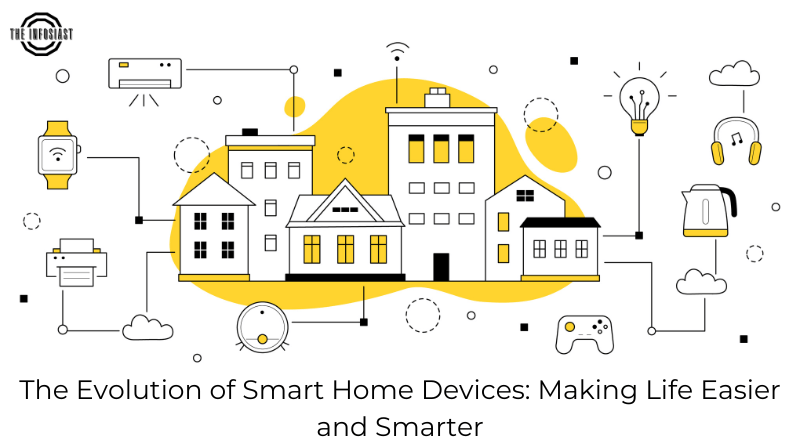
Smart home devices can make everyday tasks easier, but compatibility is only one part of choosing them. A light that pairs successfully may still lose voice control during an internet outage. A camera may offer local recording while its notifications depend on a cloud service.
Before buying, identify the exact functions you need, the controllers you already own, and what should keep working without the internet. Compare specific models and software versions rather than assuming that a brand or logo guarantees every feature.
Matter and Thread are different layers
Matter is an application standard intended to improve interoperability. It can operate over supported IP networks including Wi-Fi, Ethernet and Thread. Thread is a networking technology, not an alternative name for Matter.
A Matter-over-Thread device needs access to a Thread border router, which connects the Thread network with the rest of the local network. A Matter controller manages devices for its ecosystem. Some products perform both roles; check the exact model before buying another hub.
The Connectivity Standards Alliance’s FAQ and Home Assistant’s integration documentation explain these distinctions. Support depends on the device type, platform and implementation. A feature available in the manufacturer’s app may not be exposed through Matter.
Build a compatibility sheet
For each planned device, record the model, communication method, supported controller, required bridge or border router, power requirements and essential functions. Include whether setup needs a phone, account or manufacturer app.
Also record any subscription needed for features you want, such as video history or advanced notifications. Confirm regional electrical and radio compatibility with the manufacturer. A product sold for another market may have unsuitable power, frequency or certification requirements.
If using Home Assistant, inspect the individual integration rather than assuming that every connected device is local. Its Matter documentation also describes network requirements and implementation limits. Read the current instructions before changing router rules.
Local control does not mean every feature is offline
A device can accept local commands while depending on a cloud service for remote access, voice interpretation, backups or other features. Matter support does not guarantee that a manufacturer never connects to the internet.
Ask separate questions: Can a physical switch operate it? Can an automation run locally? Can you view recordings without an account? What happens after a restart during an outage? What information reaches the vendor when connectivity returns?
A practical offline test
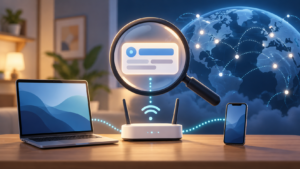
The following is a suggested test plan, not a claim that every device passes. Use a non-critical light or plug first. Keep the router and local controller running while temporarily disconnecting their internet connection. Check physical operation, local app control, a scheduled automation and any voice feature you rely on.
Restore the connection and note whether the device reconnects automatically. Check the vendor’s documented behaviour after a controller restart separately. Do not test by disrupting safety equipment, medical devices, critical locks or shared household connectivity without an appropriate plan.
Write down the results for your own setup. An offline claim is more useful when it names the functions, model, software version and conditions tested.
Privacy and security questions
Review microphone and camera settings, recording retention, account access and notification previews. Give household members enough information to understand where recording takes place. Use unique account passwords and available strong sign-in protection, and remove access for people who no longer need it.
Check how long the vendor provides security updates and whether the device can be reset before resale. Keep controllers and router software updated. Save recovery information where the household can access it securely.
A guest network or separate device network can help limit access, but isolation may break discovery and local communication. Matter implementations may rely on IPv6 and multicast behaviour. Follow the platform’s network documentation instead of applying a blanket rule that blocks everything.
Choose a manageable starting point
Start with one useful task and a manual fallback. A simple lamp automation is easier to maintain than several interdependent routines spanning vendors. Expand after you understand the failure behaviour, update process and account requirements.
Keep a short household guide explaining how to operate essential devices when the phone, internet or controller is unavailable. That practical fallback is as valuable as a successful pairing screen.
Sources and further reading
Connectivity Standards Alliance: Matter FAQ
Home Assistant: Matter integration
Home Assistant: Thread integration
Related guides: Personal privacy · AI features in everyday gadgets.
Smart Home Protocol Comparison: Matter, Thread, Zigbee, Z-Wave, and Wi-Fi
Choosing the right local radio protocol determines whether your smart plugs, sensors, and locks keep working when your internet connection drops or a manufacturer shuts down its cloud servers:
| Protocol / Standard | Network Topology & Power | Local Offline Control | Best Device Use Cases |
|---|---|---|---|
| Matter (over Thread or Wi-Fi) | Application-layer IP standard backed by CSA; uses IPv6 locally | Yes — multi-admin local control across Apple Home, Google Home, Alexa, and Home Assistant | Cross-platform plugs, bulbs, locks, and thermostats without vendor lock-in |
| Thread | Low-power 2.4 GHz IPv6 self-healing mesh; requires a Thread Border Router | Yes — direct local mesh without proprietary bridge hubs per brand | Battery-powered door/window sensors, motion detectors, and smart locks |
| Zigbee / Z-Wave | Low-power mesh (2.4 GHz for Zigbee; sub-1 GHz for Z-Wave) | Yes — completely local when paired to a local USB coordinator or hub | Large sensor networks, light switches, and interference-free Z-Wave locks |
| Wi-Fi (Cloud-Tethered) | High-power star topology connected directly to home router | Often requires vendor cloud unless local API/Matter is supported | High-bandwidth video doorbells, cameras, and mains-powered appliances |
- Network segmentation (IoT VLAN): Place cloud-connected smart TVs, cameras, and appliances on a dedicated guest or IoT Wi-Fi network isolated from the laptops and NAS drives that store your personal files.
- Test the physical manual override: Never install a smart lock, garage controller, or light switch that cannot be operated manually with a physical key or wall switch if the hub or battery fails.
Written and prepared by Kshitij Gupta.