AI in a gadget should be evaluated feature by feature. A phone can run one task locally and send another to a server. A dedicated AI processor does not guarantee that the whole product works offline, keeps every piece of data on the device or produces reliable answers.
This guide explains the difference between local, cloud and mixed processing. It provides a practical checklist for checking the capabilities and privacy boundaries of phones, home devices and wearables before relying on a marketing label.
What does AI do inside a gadget?
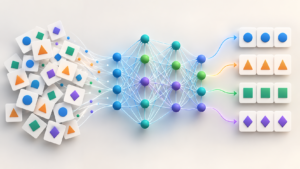
Machine-learning software uses patterns learned during training to interpret inputs or generate outputs. In consumer devices, a feature might classify a photo, transcribe speech, suggest text or summarize a document. These are different tasks with different requirements; they should not be grouped under one accuracy or speed claim.
A neural processing unit, or NPU, is hardware designed to accelerate certain machine-learning operations. Its presence tells you something about available hardware, but not which apps use it or whether their data handling meets your needs. Ask for the feature documentation, not just a processor specification.
Local processing is a real capability, not a universal promise
Google documents ways to run Gemma language models on mobile devices using its AI Edge Gallery app and MediaPipe LLM Inference API. The documented tasks include generating text and summarizing documents. This demonstrates local inference for a defined implementation; it does not mean every AI app on every phone uses that architecture. Google’s mobile deployment documentation.
Apple’s iPhone privacy guide provides a contrasting example: Apple Intelligence can handle tasks on the device and use Private Cloud Compute when a request requires more computing capacity. Third-party integrations have their own boundaries. Read the settings and privacy documentation for the particular feature you enable. Apple Intelligence and privacy.
Compare processing models without blanket ratings
| Model | Where the selected task runs | Questions to ask |
|---|---|---|
| On-device | On local hardware | Does the model need a download? Do logs, synchronization or other features still use a server? |
| Cloud | On a remote service | What input is sent, how is it retained, and what happens if the service is unavailable? |
| Hybrid | Uses local and remote components | Which requests leave the device, and can you control or inspect that behavior? |
There is no single latency, model size or battery figure that accurately describes every implementation. Speed depends on the task, model, device, workload and network. Measure the task that matters to you under stated conditions instead of comparing unsupported category averages.
How to evaluate common gadget features
Phones and personal assistants
Start with a non-sensitive task, such as summarizing a public document. Check whether the summary preserves names, dates, qualifications and the main conclusion. Compare it with the original. A polished sentence is not evidence that a claim is correct.
For translation or transcription, verify important names, numbers and instructions. Before using a feature offline, read its documented requirements and check it after any necessary downloads. Treat that result as a check of the chosen task, not proof of every capability on the device.
Smart-home devices
Separate convenience from a safety function. Ask what triggers an alert, where recordings are stored, who can access them and which functions depend on a subscription or connection. A recognition label should not be treated as certain identification of a person or event.
Review household access and permissions before placing a microphone or camera in a shared space. Keep essential controls understandable to other occupants. If a product is intended for a safety-critical purpose, follow its exact instructions rather than substituting an unrelated AI feature.
Wearables
A derived health score and a medical feature have different intended uses. Check the exact device, evidence and documented limitations. Our wearable technology guide explains why a wellness metric, ECG classification and glucose claim must be assessed separately.
Privacy questions to ask before enabling a feature
- What information will the feature access: microphone input, photos, documents, location or account history?
- Which part of processing takes place locally, and which part uses a remote service?
- Does a separate integration receive information?
- What retention, deletion and model-improvement choices are documented?
- Can you remove a permission or turn off the feature without losing unrelated functions?
- Is there a clear update and support process?
Use the answers to decide whether the feature suits the information you plan to provide. For a broader review, see our personal information privacy checklist. Local processing can reduce a particular transfer, but it is not a complete privacy assessment of the product.
A repeatable feature-check worksheet
- Record the model, software version, feature and source of its official instructions.
- Choose three representative, non-sensitive tasks with results you can check.
- Record accuracy problems and whether you needed a connection.
- Note response time and battery use under comparable conditions, if those affect your decision.
- Check the permissions and any additional account, cloud or subscription requirements.
- Keep a manual method for essential tasks and repeat the check after a substantial update.
These are suggested checks for your own evaluation. This article does not claim that we performed a cross-device benchmark or inspected a manufacturer’s internal systems. Practical observations should be reported with their conditions and limits.
Glossary
- Inference: using a trained model to produce an output from an input.
- NPU: hardware intended to accelerate certain neural-network operations.
- Hybrid processing: combining local and remote components.
- Model: the learned system used to interpret or generate information.
Sources and editorial review
Updated 1 October 2026. The linked Google and Apple documentation illustrates specific architectures. Comparison questions and worksheets are editorial guidance, not product certifications or promises of clinical accuracy. Send corrections through our contact page.
Written and prepared by Kshitij Gupta.