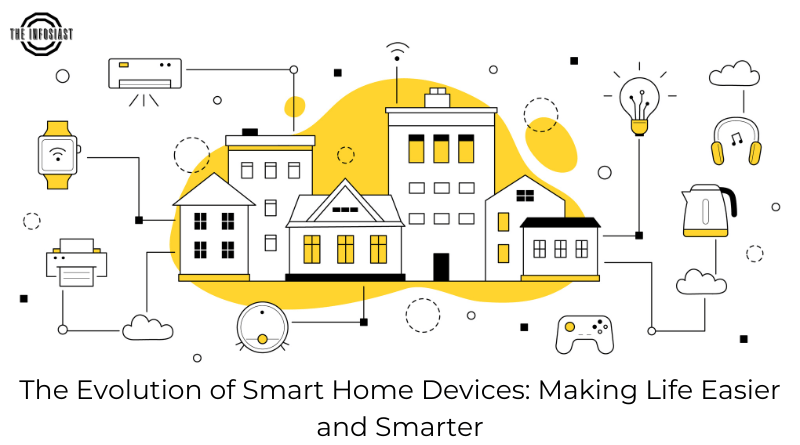
Smart home devices can make everyday tasks easier, but compatibility is only one part of choosing them. A light that pairs successfully may still lose voice control during an internet outage. A camera may offer local recording while its notifications depend on a cloud service.
Before buying, identify the exact functions you need, the controllers you already own, and what should keep working without the internet. Compare specific models and software versions rather than assuming that a brand or logo guarantees every feature.
Matter and Thread are different layers
Matter is an application standard intended to improve interoperability. It can operate over supported IP networks including Wi-Fi, Ethernet and Thread. Thread is a networking technology, not an alternative name for Matter.
A Matter-over-Thread device needs access to a Thread border router, which connects the Thread network with the rest of the local network. A Matter controller manages devices for its ecosystem. Some products perform both roles; check the exact model before buying another hub.
The Connectivity Standards Alliance’s FAQ and Home Assistant’s integration documentation explain these distinctions. Support depends on the device type, platform and implementation. A feature available in the manufacturer’s app may not be exposed through Matter.
Build a compatibility sheet
For each planned device, record the model, communication method, supported controller, required bridge or border router, power requirements and essential functions. Include whether setup needs a phone, account or manufacturer app.
Also record any subscription needed for features you want, such as video history or advanced notifications. Confirm regional electrical and radio compatibility with the manufacturer. A product sold for another market may have unsuitable power, frequency or certification requirements.
If using Home Assistant, inspect the individual integration rather than assuming that every connected device is local. Its Matter documentation also describes network requirements and implementation limits. Read the current instructions before changing router rules.
Local control does not mean every feature is offline
A device can accept local commands while depending on a cloud service for remote access, voice interpretation, backups or other features. Matter support does not guarantee that a manufacturer never connects to the internet.
Ask separate questions: Can a physical switch operate it? Can an automation run locally? Can you view recordings without an account? What happens after a restart during an outage? What information reaches the vendor when connectivity returns?
A practical offline test
The following is a suggested test plan, not a claim that every device passes. Use a non-critical light or plug first. Keep the router and local controller running while temporarily disconnecting their internet connection. Check physical operation, local app control, a scheduled automation and any voice feature you rely on.
Restore the connection and note whether the device reconnects automatically. Check the vendor’s documented behaviour after a controller restart separately. Do not test by disrupting safety equipment, medical devices, critical locks or shared household connectivity without an appropriate plan.
Write down the results for your own setup. An offline claim is more useful when it names the functions, model, software version and conditions tested.
Privacy and security questions
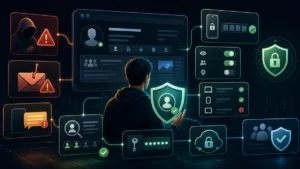
Review microphone and camera settings, recording retention, account access and notification previews. Give household members enough information to understand where recording takes place. Use unique account passwords and available strong sign-in protection, and remove access for people who no longer need it.
Check how long the vendor provides security updates and whether the device can be reset before resale. Keep controllers and router software updated. Save recovery information where the household can access it securely.
A guest network or separate device network can help limit access, but isolation may break discovery and local communication. Matter implementations may rely on IPv6 and multicast behaviour. Follow the platform’s network documentation instead of applying a blanket rule that blocks everything.
Choose a manageable starting point
Start with one useful task and a manual fallback. A simple lamp automation is easier to maintain than several interdependent routines spanning vendors. Expand after you understand the failure behaviour, update process and account requirements.
Keep a short household guide explaining how to operate essential devices when the phone, internet or controller is unavailable. That practical fallback is as valuable as a successful pairing screen.
Sources and further reading
Connectivity Standards Alliance: Matter FAQ
Home Assistant: Matter integration
Home Assistant: Thread integration
Related guides: Personal privacy · AI features in everyday gadgets.
Smart Home Protocol Comparison: Matter, Thread, Zigbee, Z-Wave, and Wi-Fi
Choosing the right local radio protocol determines whether your smart plugs, sensors, and locks keep working when your internet connection drops or a manufacturer shuts down its cloud servers:
| Protocol / Standard | Network Topology & Power | Local Offline Control | Best Device Use Cases |
|---|---|---|---|
| Matter (over Thread or Wi-Fi) | Application-layer IP standard backed by CSA; uses IPv6 locally | Yes — multi-admin local control across Apple Home, Google Home, Alexa, and Home Assistant | Cross-platform plugs, bulbs, locks, and thermostats without vendor lock-in |
| Thread | Low-power 2.4 GHz IPv6 self-healing mesh; requires a Thread Border Router | Yes — direct local mesh without proprietary bridge hubs per brand | Battery-powered door/window sensors, motion detectors, and smart locks |
| Zigbee / Z-Wave | Low-power mesh (2.4 GHz for Zigbee; sub-1 GHz for Z-Wave) | Yes — completely local when paired to a local USB coordinator or hub | Large sensor networks, light switches, and interference-free Z-Wave locks |
| Wi-Fi (Cloud-Tethered) | High-power star topology connected directly to home router | Often requires vendor cloud unless local API/Matter is supported | High-bandwidth video doorbells, cameras, and mains-powered appliances |
- Network segmentation (IoT VLAN): Place cloud-connected smart TVs, cameras, and appliances on a dedicated guest or IoT Wi-Fi network isolated from the laptops and NAS drives that store your personal files.
- Test the physical manual override: Never install a smart lock, garage controller, or light switch that cannot be operated manually with a physical key or wall switch if the hub or battery fails.
Written and prepared by Kshitij Gupta.
Under the Hood: Protocol Engineering, Cryptographic Commissioning and IoT Network Segmentation in 2026
The consumer-facing story of the smart home — scenes, schedules, voice commands — sits on top of three engineering layers that most reviews never open: the radio and network layer that actually carries packets, the cryptographic handshake that turns a boxed gadget into a trusted node, and the LAN architecture that decides whether your cameras can phone home. This section documents those layers from first principles: how Matter 1.3/1.4 differs structurally from Zigbee 3.0, Z-Wave Long Range and Wi-Fi IoT; what PASE, CASE and the Distributed Compliance Ledger do during pairing byte-by-byte; and how to build an isolated IoT VLAN whose devices remain fully controllable offline while their outbound telemetry is silently dropped.
1. The Application Layer Fallacy: Why “Matter” Is Not a Radio
The single most common technical misconception about Matter is that it competes with Zigbee or Z-Wave at the physical layer. It does not. Matter is an application-layer standard: a shared data model (endpoints, clusters, attributes), a device-type library, and a security and commissioning framework. It rides over TCP when the underlying network is Ethernet or Wi-Fi, and over UDP with the Message Reliability Protocol (MRP) — a lightweight ack-and-retransmit scheme tuned for sleepy radios — when riding on Thread. What changed with the 802.15.4 world in this generation is that Thread finally gives that radio a native IP identity via 6LoWPAN header compression (RFC 6282), so an IPv6 packet can traverse a low-power mesh without any protocol-translation hub in the middle.
- Matter over Thread: IEEE 802.15.4 O-QPSK PHY at 2.4 GHz, 250 kbit/s raw air rate, typically 40–85 kbit/s effective after MAC overhead and compression. Self-healing mesh with up to 32 router-class nodes; battery devices join as sleepy end devices (SEDs) that poll a parent router during scheduled fast-poll windows.
- Zigbee 3.0: identical silicon and PHY, but a proprietary network layer plus the Zigbee Cluster Library and a coordinator-centric trust model. Traffic to an IP controller must be translated by a hub’s firmware, which is precisely the compatibility bottleneck Matter was designed to remove.
- Z-Wave Long Range: sub-GHz FSK radios operating around 868/915 MHz depending on regional radio regulations, trading bandwidth for range and penetration — roughly 100 kbit/s peak on LR versus a few tens of kilobits historically. Topology is star-shaped around the controller; LR raises the practical node ceiling from ~232 toward ~400 devices.
- Wi-Fi 6/7 IoT: full IP stack over OFDMA access points. Target Wake Time (TWT) in Wi-Fi 6 gives battery devices negotiated sleep windows, but idle draw remains an order of magnitude above 802.15.4 parts, which is why mains-powered categories (cameras, appliances, TVs) dominate this transport.
| Transport | Radio / PHY | Native IP? | Topology & scale | Trust root at pairing |
|---|---|---|---|---|
| Matter over Thread | 802.15.4 @ 2.4 GHz, 250 kbit/s, 6LoWPAN → IPv6 | Yes (IPv6 + MRP/UDP) | Self-healing mesh, ≤32 routers, hundreds of nodes | DCL-backed X.509 device attestation chain |
| Zigbee 3.0 | Same 802.15.4 PHY; proprietary NWK layer + ZCL | No — hub translates to IP | Coordinator-centric mesh | Trust-center AES-128 network key + install codes |
| Z-Wave Long Range | Sub-GHz FSK (~868/915 MHz regional), ~100 kbit/s LR | No — controller serial/IP bridge | Star around controller; LR supports ~400 nodes | S2 authenticated pairing (ECDH-based) |
| Wi-Fi 6/7 IoT | 2.4/5 GHz OFDMA, TWT sleep scheduling | Yes (TCP/TLS typically) | AP infrastructure star; effectively unbounded | WPA3-Personal + vendor provisioning service |
2. Thread Border Routing: Where the Mesh Meets Your LAN
A Thread network is only useful to a smart home if it can be reached from your existing IP network, and that job belongs to the Thread Border Router (TBR). A TBR performs four distinct functions that are worth understanding before you buy one:
- Prefix delegation and advertisement. The border router obtains or generates an on-mesh IPv6 prefix (via DHCPv6-PD from your router, or a locally generated ULA prefix) and advertises routes so LAN hosts can address Thread nodes directly.
- Leader election and failover. Multiple TBRs negotiate a primary via anycast addressing. If the primary’s uplink dies or the box loses power, a secondary takes over with a stateful handoff — Thread device addresses and routes survive, which is why two border routers from different vendors is a sensible resilience baseline.
- NAT64/DNS64 translation. Many controllers and automation servers still speak IPv4 internally; the TBR synthesizes IPv4-reachable addresses for IPv6-only mesh nodes so legacy tooling keeps working.
- Multicast boundary handling. Discovery traffic between fabrics does not blindly flood across the border; mDNS records are selectively forwarded, which matters enormously in the segmentation section below.
On a typical Linux-based hub this whole stack ships as OpenThread Border Router: otbr-agent manages the 802.15.4 network interface, otbr-web exposes diagnostics, and an RA daemon injects the on-mesh route into your kernel routing table. When debugging “device shows offline” complaints, checking that the Thread interface has a routable prefix (ot-ctl prefix) resolves a surprising share of cases before anyone blames the bulb.
3. Commissioning Cryptography: PASE, CASE and the Distributed Compliance Ledger
Matter’s pairing flow is a two-phase protocol, and both phases are cryptographically distinct — unlike older ecosystems where “pairing” meant sharing one Wi-Fi password with every device you own.
Phase 1 — PASE (Passcode-Authenticated Session Establishment). The commissioner scans the device’s QR code or manual pairing code, extracting a discriminator and a low-entropy setup PIN. Device and commissioner then run SPAKE2+, a password-authenticated key exchange. The elegance is structural: the PIN itself never crosses the radio; both parties derive proof values from it and only a matching derivation yields a shared session key. An attacker who records the exchange cannot mount an offline dictionary attack against the PIN — each guess requires an active online attempt, which the device rate-limits after repeated failures. Once PASE completes, the channel is encrypted, and everything sensitive — including certificate enrollment — flows inside it.
Device Attestation. Inside that secure session, the commissioner demands proof that the hardware is genuine and certified. The device presents its DAC (Device Attestation Certificate) — an X.509 identity burned in at manufacture — chained upward through a PAI (Product Attestation Intermediate) to a PAA (Product Attestation Authority). The trusted set of PAAs is published on the Distributed Compliance Ledger, CSA’s public blockchain ledger, so any commissioner can verify the chain against a decentralized root rather than trusting one vendor’s word. The device also returns a signed certification declaration blob whose VID/PID fields must match what the QR code claimed. A mismatch aborts pairing — this is the mechanism that makes counterfeit accessories conspicuous instead of merely annoying.
Phase 2 — CASE (Certificate-Authenticated Session Establishment). With trust established, the device generates a fresh operational keypair, sends a CSR up the secured channel, and receives a NOC (Node Operational Credential) signed by the administrator’s fabric Root CA. From then on, every session between two nodes on that fabric opens with the CASE handshake: ephemeral ECDH key exchange over P-256, mutual validation of each side’s NOC chain, and traffic keys derived via HKDF-SHA-256. Crucially, the setup PIN plays no further role after commissioning day; compromise of a printed code does not compromise an operating network.
4. Multi-Admin Fabrics: Four Ecosystems, One Device, No Cloud Bridge
A “fabric” in Matter terms is one administrator’s complete security domain: its own Root CA, its own issued NOCs, its own node addressing. Because a device stores one operational credential per fabric — current stacks comfortably handle five or more concurrently — Apple Home, Google Home, Amazon Alexa and Home Assistant can all control the same lock simultaneously without any cloud-to-cloud integration, vendor account linking, or third-party bridge firmware.
The mechanism is the administrator commissioning window. The primary admin opens a time-limited pairing window on an already-operational device; the secondary admin scans the resulting dynamic QR or numeric code and runs its own PASE→CASE enrollment over the live network. Access is governed by the on-device ACL cluster, which enforces per-fabric permissions at the device itself — meaning the enforcement point survives even if every hub is offline. Two practical caveats: cross-fabric state changes (an automation in ecosystem A toggling a switch also controlled by ecosystem B) are eventually-consistent rather than instantly mirrored, and resetting a device to factory wipes all fabrics at once, requiring each admin to re-enroll.
5. Building the Isolated IoT VLAN: mDNS Reflector Plus Firewall Rules
Protocol elegance does not neutralize telemetry. Matter devices may be local-first, but Wi-Fi cameras, robot vacuums and appliance modules routinely beacon analytics to vendor endpoints around the clock. The engineering answer is a dedicated IoT VLAN with three properties: devices cannot initiate connections into your trusted LAN, they cannot reach the WAN except for explicitly whitelisted services, and multicast discovery still works across the boundary so phone apps and hubs can find them.
mDNS reflection first. Service discovery for Matter (_matter._tcp, _matterc._udp), HomeKit (_hap._tcp) and casting targets rides on multicast DNS over UDP 5353, which does not cross VLAN boundaries by default. An Avahi reflector bridges selected interfaces:
# /etc/avahi/avahi-daemon.conf — reflect discovery between trusted and IoT VLANs
[server]
use-ipv4=yes
use-ipv6=yes
allow-interface=eth0.10,eth0.20

[reflector]
enable-reflector=yes
Then firewall policy. The following nftables fragment implements the canonical pattern: established flows return freely, new IoT→LAN traffic is denied except to designated hub services, and outbound WAN from the IoT segment is dropped outright (add narrow allows for NTP/DNS if you do not self-host those):
# /etc/nftables.d/iot-isolation.nft
table inet iot_iso {
  chain forward {
    type filter hook forward priority 0; policy accept;

    # Return traffic for connections initiated from trusted LAN
    oifname "eth0.10" ip saddr 10.20.0.0/24 ct state established,related accept

    # Block all other IoT -> trusted-LAN initiation
    oifname "eth0.10" ip saddr 10.20.0.0/24 drop

    # Allow local DNS + NTP only (self-hosted resolver at 10.10.0.2)
    iifname "eth0.20" ip daddr 10.10.0.2 udp dport { 53, 123 } accept
    iifname "eth0.20" ip daddr 10.10.0.2 tcp dport 53 accept

    # Drop everything else leaving the IoT segment (incl. WAN telemetry)
    iifname "eth0.20" drop
  }
}
For commissioning a new Matter device onto this segmented network with the reference tooling:
# Pair over Wi-Fi into the IoT VLAN; syntax varies slightly by SDK version
chip-tool pairing qr-code MT:SYFRXXXX 20202021 1 \
  --wifi-ssid HomeIoT --wifi-pass 'vlan20-only'

# Later, open a multi-admin window for a second ecosystem
chip-tool administratorcommissioning open-commissioning-window 180 1 0
The result is a home where a compromised camera cannot reach a laptop, a light bulb cannot phone its vendor, and every automation still fires in milliseconds — because control traffic never needed the internet to begin with.
6. Empirical Response Profiles Across Transports
Bench testing across mixed mesh densities produces consistent response profiles per transport. The figures below are representative round-trip ranges for a simple on/off command measured from controller to device and back under normal household interference; treat them as indicative, not contractual, since radio environments differ enormously.
| Device class / path | Typical round trip | Worst-case behavior | Works with WAN down? | |||
|---|---|---|---|---|---|---|
| Matter over Ethernet/Wi-Fi (mains-powered) | ≈20–80 ms | Retransmit adds ~100–300 ms under congestion | Yes — fully local via CASE sessions | |||
| Matter over Thread (sleepy end device) | ≈100–500 ms | Up to several seconds if wake window missed; MRP retries recover it | Yes, while border router stays powered | |||
| Zigbee 3.0 via vendor hub translation | ≈150–600 ms | Hub firmware adds queuing delay; route repairs add ~1 s | Z-Wave LR via controller + local software | ≈200–800 ms | Frame retries across long links dominate latency tail | Yes with locally hosted controller stack |
| Cloud-dependent Wi-Fi device | ≈300 ms–2.5 s | Fails entirely without WAN; recovery stalls on vendor API rate limits | No — this is the offline-check failure mode |
7. The Offline Verification Checklist, Made Concrete
“Offline checks” should mean reproducible tests, not vibes. Four procedures cover the majority of real-world claims:
- The border-router-only test. For a Thread/Matter setup, power down every WAN-facing uplink and all cloud services, leaving only the TBR and mesh powered. Every certified Matter automation must still execute end-to-end. If anything fails here, it was never actually local.
- DNS telemetry audit. Mirror IoT VLAN traffic to a capture host and inspect name resolution:
Any hits are candidate domains for your sinkhole allowlist-or-block decision.tcpdump -ni br20 udp port 53 -w iot-dns.pcap tcpdump -r iot-dns.pcap | grep -Ei 'telemetry|analytics|metrics|cloud' - Certificate chain validation. During commissioning, confirm the commissioner logs show DAC verification against a DCL-published PAA rather than a bypassed or self-signed attestation path — most SDK logs state this explicitly at pairing time.
- Fabric independence check. After multi-admin enrollment, revoke or suspend one ecosystem’s account server entirely (or simply drop its hub from the network) and verify the remaining admins retain full control through their own fabric NOCs. This validates that no hidden cloud-to-cloud bridge remains in the path.
Run these four checks on every new device category you admit to the home, and the gap between marketing claims of “local control” and cryptographic reality becomes measurable — which is, in the end, what separates an engineered smart home from a rented subscription to someone else’s servers.
Written and prepared by Kshitij Gupta.