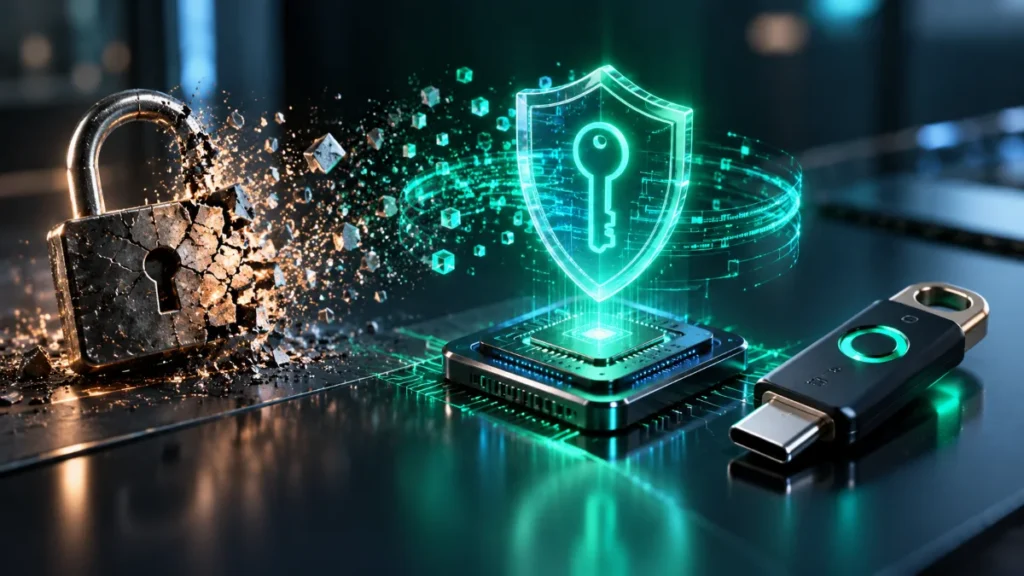
Cryptographic public-key architecture replacing legacy passwords under FIDO2 and WebAuthn Level 3.
Evaluating passkeys vs passwords 2026 requires looking past consumer marketing to examine the underlying cryptographic protocols, hardware security boundaries, and identity recovery pipelines. Passwords fail because they rely on a shared secret transmitted across a network—an architecture fundamentally vulnerable to server database breaches, credential stuffing, and Adversary-in-the-Middle (AitM) reverse-proxy frameworks. Passkeys replace shared secrets with origin-bound, asymmetric public-key cryptography standardized under the FIDO2 framework (W3C WebAuthn Level 3 and CTAP2.2).
However, deploying passkeys introduces a new set of architectural trade-offs. While passkeys neutralize remote network phishing, they shift the primary attack surface toward physical device coercion, cloud-vault synchronization enclaves, and Relying Party (RP) authentication downgrade paths. This guide dissects the byte-level mechanics of FIDO2 assertions, evaluates multi-device synced credentials against hardware-bound security keys, exposes the account recovery paradox, and provides an implementation blueprint for enterprise and personal environments.
Executive Summary & Engineering Verdict (TL;DR)
- Cryptographic Superiority: Passkeys replace transmissible secrets with asymmetric keypairs (
ES256/EdDSA). Because the authenticator signs a payload containing both the browser-enforced origin and a cryptographic challenge, AitM reverse proxies (Evilginx, Modlishka) cannot replay or forge credentials. - The Sync vs. Hardware Trade-off: Multi-device passkeys (flagged
BE=1, BS=1in the authenticator data byte) sacrifice strict hardware isolation for survivability by syncing private keys across Apple iCloud Keychain, Google Password Manager, or third-party vaults. High-assurance threat models still require single-device, hardware-bound keys (BE=0, e.g., YubiKey 5 Series). - The New Perimeter is the Local PIN: If an attacker shoulder-surfs a user’s 6-digit mobile passcode and steals the unlocked device, they can enroll their own biometrics or unlock the cloud keychain, compromising every synced passkey in the vault. Enabling OS-level location-bound biometric locks (Apple Stolen Device Protection, Android Identity Check) is mandatory.
- The Recovery Paradox: A cryptographic front door is useless if the Relying Party leaves an SMS OTP or password-reset side window open. True passkey security requires deprecating legacy fallback methods or enforcing FIDO Credential Exchange Protocol (CXP) workflows alongside secondary hardware keys.
2026 Readiness Verdict: Migrate all consumer and enterprise accounts to synced passkeys immediately to eliminate remote credential harvesting, but retain at least two hardware-bound FIDO2 security keys (BE=0) as the root of trust for primary email, cloud infrastructure, and password managers.
1. Cryptographic Foundation & Protocol Architecture
The term “passkey” is a usability abstraction for a FIDO2 discoverable credential (formerly called a resident key). Unlike legacy U2F (CTAP1) credentials, which stored an encrypted key handle on the Relying Party’s server and required the server to pass that handle back during login, a discoverable credential stores the private key, the Relying Party ID (rpId), and the user handle (user.id) directly inside the authenticator’s non-volatile memory or synced cloud vault.
The FIDO2 specification bifurcates into two distinct protocol layers:
- W3C WebAuthn Level 3: The browser-to-Relying Party JavaScript API (
navigator.credentials.create()andnavigator.credentials.get()), which mediates origin validation and passes CBOR-encoded payloads between the web application and the underlying operating system platform. - CTAP2.1 / CTAP2.2 (Client-to-Authenticator Protocol): The OS-to-authenticator transport layer operating over USB HID, NFC, Bluetooth Low Energy (BLE), or inter-process communication (IPC) to local platform enclaves.
+---------------------------------------------------------------------------------------------------+
|                                     FIDO2 / WebAuthn Architecture                                 |
+---------------------------------------------------------------------------------------------------+

  [ Relying Party Server ]
             |
             | 1. HTTPS JSON (Challenge, rpId, pubKeyCredParams)
             v
  [ User Agent / Browser ]  <--- Enforces TLS & Origin Binding (clientDataJSON.origin)
             |
             | 2. W3C WebAuthn API (navigator.credentials.create / .get)
             v
  [ OS Platform / CTAP2.2 ] <--- Mediates IPC, USB HID, NFC, or Hybrid Transport (BLE + Tunnel)
             |
             | 3. CBOR-Encoded CTAP2 Commands (authenticatorMakeCredential / GetAssertion)
             v
  [ Hardware Enclave / Vault ] (Apple SEP / Android StrongBox Titan M2 / Windows TPM 2.0)
             |
             +--> Generates Keypair (ES256 / EdDSA)
             +--> Verifies Biometric / PIN (Sets UV=1, UP=1 flags)
             +--> Signs (authenticatorData || SHA-256(clientDataJSON))
Registration (create()) and Assertion (get()) Ceremonies
During Registration, the Relying Party generates a cryptographically random challenge (minimum 16 bytes) and invokes navigator.credentials.create(). Below is a production-grade WebAuthn Level 3 registration payload requesting a passkey while preferring a resident credential and strict user verification:
// WebAuthn Level 3 Registration Request Payload
const publicKeyCredentialCreationOptions = {
  challenge: Uint8Array.from(window.atob("Y2hhbGxlbmdlX3JhbmRvbV9ieXRlc18xMjM0NTY="), c => c.charCodeAt(0)),
  rp: {
    name: "The Infosiast Infrastructure",
    id: "theinfosiast.com" // Must match current effective domain
  },
  user: {
    id: Uint8Array.from("usr_9981726354", c => c.charCodeAt(0)), // Opaque byte array, never PII
    name: "architect@theinfosiast.com",
    displayName: "Principal Systems Architect"
  },
  pubKeyCredParams: [
    { type: "public-key", alg: -8 },  // EdDSA (Ed25519) - Preferred for deterministic signatures
    { type: "public-key", alg: -7 },  // ES256 (ECDSA over P-256) - Universal hardware enclave support
    { type: "public-key", alg: -257 } // RS256 (RSASSA-PKCS1-v1_5) - Legacy TPM 2.0 fallback
  ],
  authenticatorSelection: {
    residentKey: "required",          // Mandates a discoverable credential (Passkey)
    userVerification: "required"      // Mandates biometric or PIN verification (UV=1)
  },
  attestation: "direct",              // Requests cryptographic proof of authenticator model (AAGUID)
  timeout: 60000
};

const credential = await navigator.credentials.create({
  publicKey: publicKeyCredentialCreationOptions
});
During Assertion (Authentication), the server issues a fresh challenge via navigator.credentials.get(). Because the credential is discoverable (residentKey: "required"), the RP can omit the allowCredentials array entirely. The browser prompts the user to select an account directly from the authenticator’s local UI (Conditional UI / autofill), and the authenticator signs the challenge using the stored private key.
Cryptographic Primitives: COSE ES256 vs. EdDSA
WebAuthn relies on CBOR Object Signing and Encryption (COSE, RFC 9052) algorithm identifiers:
ES256(COSEalg: -7): ECDSA using the NIST P-256 curve (secp256r1) and SHA-256. P-256 is the baseline standard across virtually all hardware enclaves because silicon vendors designed their cryptographic co-processors around FIPS 140-2/140-3 requirements. A critical operational nuance ofES256is that every signature operation requires a fresh, cryptographically secure random nonce (k). If an enclave’s random number generator (TRNG) experiences a fault and reuses k across two signatures, an attacker can algebraically recover the private key.EdDSA(COSEalg: -8): Ed25519 using Edwards-curve Digital Signature Algorithm over Curve25519 with SHA-512. Ed25519 generates its signature nonce deterministically by hashing the private key and the message payload, eliminating RNG-induced private key extraction vulnerabilities. Additionally, Ed25519 offers faster verification times, smaller public keys (32 bytes vs. 65 bytes uncompressed for P-256), and complete immunity to timing side-channel attacks due to its twist-secure curve construction. YubiKey 5 Series (firmware 5.2.3+), modern software vaults (1Password, Bitwarden), and updated platform authenticators supportalg: -8, thoughalg: -7remains mandatory for universal compatibility.
Hardware Enclave Isolation Models
When a platform passkey is generated on a client device, the private key is isolated from the general-purpose operating system kernel using dedicated silicon:
- Apple Secure Enclave Processor (SEP): A hardware-isolated co-processor integrated into Apple Silicon SoCs running a custom L4 microkernel (sepOS). The SEP contains a factory-fused Unique ID (UID) key inaccessible to the main CPU. When a passkey is created in iCloud Keychain, the SEP generates the
secp256r1keypair. For synced passkeys, the private key is wrapped (encrypted) using keys derived from the user’s iCloud Keychain escrow and Secure Enclave UID before leaving the SEP memory boundary. - Android StrongBox & Google Titan M2: On Pixel and flagship Android devices, the
KeyMint(formerlyKeymaster) Hardware Abstraction Layer routes cryptographic operations to a discrete tamper-resistant RISC-V security chip (such as the Google Titan M2). StrongBox enforces hardware-backed rate limiting via the Weaver applet, ensuring that brute-force attempts against the user’s lock-screen PIN are throttled in silicon rather than by the Android OS kernel. - Windows 11 TPM 2.0 via Windows Hello (NGC): Windows 11 uses Next Generation Credentials (NGC) backed by a discrete or firmware Trusted Platform Module (TPM 2.0) and Virtualization-Based Security (VBS). Private keys are wrapped under the TPM’s Storage Root Key (SRK) and bound to Platform Configuration Registers (PCRs). Even if an attacker achieves
SYSTEMor kernel-level code execution on Windows 11, VBS isolates the Local Security Authority (Lsass.exe/LsaIso.exe) inside Virtual Trust Level 1 (VTL1), preventing raw extraction of the TPM-wrapped private key handles.
Byte-Level Signature Structure & Authenticator Flags
To understand why passkeys defeat credential harvesting, we must examine the exact byte array signed by the authenticator during navigator.credentials.get(). The authenticator does not merely sign the server’s random challenge. Instead, it constructs a binary buffer called authenticatorData and concatenates it with the SHA-256 hash of clientDataJSON:
SignatureInput = authenticatorData || SHA-256(clientDataJSON)
The clientDataJSON object is assembled by the browser (not the web page’s JavaScript) and looks like this:
{
  "type": "webauthn.get",
  "challenge": "Y2hhbGxlbmdlX3JhbmRvbV9ieXRlc18xMjM0NTY",
  "origin": "https://theinfosiast.com",
  "crossOrigin": false
}
The authenticatorData structure is a tightly packed byte array of at least 37 bytes:
+-----------------------------------------------------------------------------------+
|                        authenticatorData Byte Layout (Min 37 Bytes)               |
+------------------------+-------------------+--------------------------------------+
| Byte Offset            | Field Name        | Description                          |
+------------------------+-------------------+--------------------------------------+
| Bytes 0 - 31 (32 B)    | rpIdHash          | SHA-256 hash of the Relying Party ID |
| Byte 32 (1 B / 8 bits) | flags             | Bitfield: ED|AT|RFU2|BS|BE|UV|RFU1|UP|
| Bytes 33 - 36 (4 B)    | signCount         | 32-bit big-endian signature counter  |
| Bytes 37 - var         | attestedCredData  | Present only if AT (Bit 6) == 1      |
| Bytes var - end        | extensions        | Present only if ED (Bit 7) == 1      |
+------------------------+-------------------+--------------------------------------+
Byte 32 (flags) Bitwise Breakdown:
- Bit 0 (
0x01) —UP(User Present): Set to1if the user interacted with the authenticator (e.g., touched a capacitive sensor on a YubiKey or clicked a dialog). - Bit 2 (
0x04) —UV(User Verified): Set to1if the authenticator verified the user’s identity locally via biometric (Face ID, Touch ID, fingerprint) or device PIN. Relying Parties must reject assertions whereUV == 0if they intend to use passkeys as single-step multi-factor authentication (MFA). - Bit 3 (
0x08) —BE(Backup Eligible): Set to1if the credential is a multi-device passkey capable of being backed up or synced outside the generating hardware enclave. Set to0for strict single-device hardware keys. The WebAuthn specification dictates that theBEflag is immutable after registration; if an RP observesBEflip from0to1on subsequent logins, it must treat the credential as compromised. - Bit 4 (
0x10) —BS(Backup State): Set to1if the credential is currently backed up or synced to a cloud keychain. - Bit 6 (
0x40) —AT(Attested Credential Data): Set to1during registration (create()) to indicate that the authenticator’s 16-byte AAGUID (Authenticator Attestation Globally Unique Identifier), credential ID, and COSE public key follow Byte 36. - Bit 7 (
0x80) —ED(Extension Data): Set to1if CBOR extension outputs (such asprforcredProps) are appended.
Why Reverse-Proxy AitM Kits (Evilginx, Modlishka, Muraena) Fail Against Passkeys
Modern phishing campaigns rarely use static HTML clones. Instead, threat actors deploy reverse-proxy Adversary-in-the-Middle (AitM) frameworks like Evilginx3, Modlishka, or Muraena. When a victim clicks a link to https://login.theinfosiast-auth.com, the Evilginx server proxies the traffic in real time to the legitimate https://theinfosiast.com backend, dynamically rewriting domains in HTTP headers, HTML bodies, and JavaScript payloads.
When a user enters a password and a 6-digit TOTP code (or approves a push notification) on login.theinfosiast-auth.com, Evilginx relays those static strings to the real server and intercepts the resulting Set-Cookie session token. While network-layer tools have their place in security architectures—and understanding VPN vs Proxy privacy limits or inspecting what your IP address reveals is vital for network opsec—neither a VPN nor an encrypted proxy protects against an application-layer AitM proxy once you voluntarily submit a bearer secret to a malicious domain.
Passkeys break AitM reverse proxies at two hard cryptographic checkpoints:
- Browser-Enforced Origin &
rpIdScope Validation: If Evilginx relays the legitimate server’s WebAuthn request (rpId: "theinfosiast.com") unaltered to the victim’s browser currently sitting onhttps://login.theinfosiast-auth.com, the browser checks whether"theinfosiast.com"is a registrable domain suffix of"login.theinfosiast-auth.com". It is not. The browser immediately halts execution and throws aDOMException: SecurityErrorbefore the authenticator is even invoked. - Cryptographic Binding of
rpIdHashandorigin: Suppose the attacker configures Evilginx to dynamically rewrite the JavaScriptnavigator.credentials.get()payload, substitutingrpId: "theinfosiast-auth.com"to bypass the browser’sSecurityError. Two fatal failures occur for the attacker:- First, the victim’s authenticator searches its enclave for a private key mapped to
SHA-256("theinfosiast-auth.com"). Because the user registered their passkey ontheinfosiast.com, no matching credential exists; the authenticator returns an empty credential list. - Second, even if the victim were tricked into registering a new passkey on the phishing domain and generating an assertion, the signed payload would contain
rpIdHash = SHA-256("theinfosiast-auth.com")andclientDataJSON.origin = "https://login.theinfosiast-auth.com". When Evilginx relays this signature back to the legitimatetheinfosiast.comserver, the server’s WebAuthn verification library computesSHA-256("theinfosiast.com"), sees a byte mismatch againstrpIdHash, and rejects the login. Without the private key, Evilginx cannot re-sign the modifiedclientDataJSON.
- First, the victim’s authenticator searches its enclave for a private key mapped to
2. Interactive Passkey Threat Simulator & 2026 Readiness Audit
Use the interactive simulator below to test how different authentication architectures withstand modern attack vectors, inspect the byte register flags, and calculate your migration zero-trust readiness score.
🔐 Passkey Threat & Readiness Engine (2026)
FIDO2 / WebAuthn Level 3 Interactive3. 2026 Threat Model Comparison: Passwords vs. Synced Passkeys vs. Hardware Keys
To evaluate passkeys vs passwords 2026 objectively, security architects must distinguish between Multi-Device Synced Passkeys (BE=1, BS=1) and Single-Device Hardware-Bound Security Keys (BE=0, BS=0). While both execute the same WebAuthn protocol over the wire, their private key lifecycle and exposure to physical and cloud-level threats differ substantially.
| Threat Vector | Password + Legacy MFA (TOTP / Push) | Multi-Device Synced Passkey (BE=1, BS=1) | Hardware-Bound Security Key (BE=0, BS=0) |
|---|---|---|---|
| 1. Phishing & Reverse-Proxy AitM (Evilginx, Modlishka) | CRITICAL VULNERABILITY: Attacker proxies password + TOTP in real time; Push MFA defeated via prompt bombing. | IMMUNE: Origin-bound rpIdHash and clientDataJSON prevent cross-domain relay or signature forgery. | IMMUNE: Origin-bound cryptographic signature; impossible to proxy across mismatched domains. |
| 2. Credential Stuffing & Server DB Breaches | HIGH VULNERABILITY: Reused passwords compromise multiple RPs; cracked Argon2/bcrypt hashes expose plaintext secrets. | IMMUNE: Server stores only the COSE public key (ES256/EdDSA); public keys cannot be reversed into private keys. | IMMUNE: Unique keypair generated per rpId; server breach yields zero reusable authentication material. |
| 3. Physical Theft & Coercion (Mugger / Shoulder Surfing PIN) | MODERATE: Attacker with device + PIN can access unlocked password manager apps and TOTP authenticators. | HIGH VULNERABILITY: Local device PIN unlocks the cloud vault and permits enrolling attacker biometrics unless SDP/Identity Check is active. | RESILIENT: Requires physical possession of the separate hardware token plus the FIDO2 PIN (locks permanently after 8 failed attempts). |
| 4. Endpoint Malware & Info-Stealers (Lumma, RedLine, Cookie Theft) | CRITICAL VULNERABILITY: Keyloggers capture passwords; info-stealers dump browser SQLite vaults and session cookies. | PARTIAL EXPOSURE: Private keys inside SEP/TPM resist extraction, but post-auth session cookies remain vulnerable without DBSC. | HIGHLY RESILIENT: Private keys never exist on the host OS; requires physical touch (UP=1) per assertion. Post-auth cookies still require DBSC. |
| 5. Cloud Ecosystem Compromise (Vault / Sync Enclave Breach) | HIGH VULNERABILITY: Compromise of cloud password manager exposes all stored passwords and synced TOTP seeds. | MODERATE RISK: If an attacker compromises the cloud account and obtains a trusted device PIN, synced passkeys can be synchronized. | IMMUNE: Private keys are non-exportable (BE=0); no cloud synchronization mechanism exists. |
| 6. Recovery / Authentication Downgrade | HIGH VULNERABILITY: SMS SIM-swapping and email reset flows routinely bypass primary MFA. | VULNERABLE AT RP LAYER: If the Relying Party permits “Try another way -> SMS/Password,” the passkey is bypassed entirely. | VULNERABLE AT RP LAYER: Unless the RP enforces strict FIDO-only login and disables legacy fallbacks, downgrade attacks succeed. |
Evaluating Cloud Synced Passkeys Risks (BE=1, BS=1)
When analyzing cloud synced passkeys risks, the primary architectural concern is the expansion of the trust boundary. A hardware-bound passkey (BE=0) lives and dies on the specific silicon chip that generated it. Conversely, a synced passkey (BE=1, BS=1) wraps the private key and replicates it across every device signed into the user’s cloud identity ecosystem:
- Apple iCloud Keychain: Uses CloudKit End-to-End Encryption (E2EE). Passkey private keys are encrypted inside an iCloud Keychain clique. To join a new device to the clique and download the passkeys, the user must authenticate via an existing trusted device or enter the existing device’s local passcode (or the 28-character iCloud Recovery Key if Advanced Data Protection is enabled).
- Google Password Manager (GPM): Synchronizes passkeys across Android and desktop Chrome instances using the Google Cloud Key Vault Service. A new device attempting to decrypt synced passkeys must prove possession of the screen lock (PIN, pattern, or password) of a previously enrolled Android device, or use a recovery factor backed by the Titan HSM infrastructure.
- Third-Party Credential Managers (1Password, Bitwarden, Proton Pass): Bypass OS-level platform lock-in by hooking into the OS credential provider APIs. Here, the passkey private key is stored inside the vault database alongside passwords. Consequently, the security of every passkey in a third-party manager is strictly bounded by the security of that vault’s Master Password, Secret Key, and unlock biometrics.
Enterprise security teams frequently reject BE=1 credentials for privileged access management (PAM) because the Relying Party loses visibility into how many copies of the private key exist and what class of unmanaged consumer devices currently hold those copies. By inspecting Byte 32 (flags) during registration and verifying the authenticator’s AAGUID against the FIDO Alliance Metadata Service (MDS3), an enterprise RP can programmatically reject synced consumer vaults and mandate FIPS-validated BE=0 hardware tokens.
The Root-of-Trust Shift: Local Device PINs and Physical Coercion
The consolidation of authentication into platform authenticators has created a dangerous single point of failure: the mobile device lock-screen PIN.
In a standard smartphone configuration, when Face ID or fingerprint biometrics fail (or are intentionally obstructed by an attacker), the operating system falls back to prompting for the user’s 4-to-6-digit numeric passcode. If a threat actor in a public venue shoulder-surfs a target’s passcode and physically steals the phone, the attacker possesses both factors required to compromise the user’s entire digital identity:
- They use the stolen passcode to unlock the device.
- They use the same passcode to enroll their own biometric template or directly authenticate to the native Passwords / Keychain manager.
- Because the device’s local passcode also acts as the cryptographic unwrapping key for iCloud Keychain and Google Password Manager, the attacker can immediately assert any synced passkey (
UV=1is satisfied by the PIN) and lock the victim out of their Apple or Google account.
To mitigate this physical coercion vector, both major mobile operating systems introduced location-aware biometric enforcement mechanisms that must be enabled to harden synced passkeys:
- Apple Stolen Device Protection (SDP) (iOS 17.3+ / iOS 18+): When the iPhone is away from familiar locations (derived from local Wi-Fi/GPS heuristics), SDP completely removes the passcode fallback for high-risk actions. Accessing stored passkeys in the Passwords app, adding a new Face ID/Touch ID biometric, or disabling Find My strictly requires a live hardware biometric scan. Attempting to change the Apple Account password or device passcode triggers an unbypassable 1-hour cryptographic security delay followed by a second biometric verification.
- Android 15+ Theft Detection Lock & Identity Check: Android 15 uses on-device accelerometer and network heuristics to lock the screen automatically if the phone is snatched from a user’s hand. More importantly, Identity Check enforces strict biometric-only authentication (disabling the PIN/pattern fallback) whenever the user attempts to access Google Password Manager passkeys, disable theft protection, or modify biometrics outside of user-defined trusted locations.
4. The Recovery Paradox & The “Titanium Front Door, Cardboard Side Window” Problem
A recurring failure in fido2 alliance passkey recovery implementations is the architectural disconnect between primary authentication and account recovery. Security engineers call this the “Titanium Front Door, Cardboard Side Window” problem.
When an organization deploys WebAuthn Level 3 for login, the primary authentication endpoint becomes cryptographically immune to phishing. However, directly beneath the "Sign in with a Passkey" button, the majority of consumer applications render a link reading "Trouble signing in?" or "Try another way." Clicking that link routinely drops the authentication session back to a legacy password prompt combined with an SMS One-Time Password (OTP) or an email magic link.
An attacker operating an Evilginx proxy does not need to break ES256 cryptography. They simply configure their reverse proxy to suppress the navigator.credentials.get() JavaScript execution on the phishing page, return a simulated error, and automatically redirect the victim’s browser to the Relying Party’s legacy password/SMS fallback endpoint. From there, the AitM attack proceeds identically to a pre-passkey compromise.
This recovery vulnerability is compounded in interconnected identity ecosystems. For example, reviewing Meta Accounts Center security controls demonstrates how linking multiple high-value profiles under a unified identity umbrella means a single weak recovery fallback—such as an outdated phone number or secondary email attached to a linked profile—can undermine hardware-backed MFA across the entire account graph.
Solving Siloed Vaults: FIDO Credential Exchange Protocol (CXP) and Format (CXF)
Historically, users hesitated to disable password fallbacks because passkeys suffered from ecosystem lock-in. A passkey created in Apple iCloud Keychain could not be exported to Google Password Manager or 1Password, because exporting raw private keys in an unencrypted CSV file would destroy the security assurances of the FIDO2 model. If a user switched from iOS to Android and lost their old iPhone, they faced total account lockout unless password recovery remained active.
To resolve this without resorting to plaintext exports, the FIDO Alliance introduced the Credential Exchange Protocol (CXP) and Credential Exchange Format (CXF):
+---------------------------------------------------------------------------------------------------+
|                     FIDO Alliance Credential Exchange Protocol (CXP) Flow                         |
+---------------------------------------------------------------------------------------------------+

  [ Source Vault (e.g., Apple Passwords) ]                 [ Target Vault (e.g., 1Password / GPM) ]
                     |                                                         |
                     | 1. Initiates Export & Generates Ephemeral HPKE Keypair  |
                     | <-----------------------------------------------------> |
                     |    Out-of-Band Proximity Handshake (QR + BLE Verification)
                     |                                                         |
                     | 2. Serializes Credentials into CXF JSON/CBOR Payload    |
                     |    (Includes rpId, userHandle, COSE Private Key, Alg)   |
                     |                                                         |
                     | 3. Encrypts CXF Payload via RFC 9180 HPKE               |
                     |    (Ciphertext bound strictly to Target Vault Enclave)  |
                     | ------------------------------------------------------> |
                     |                                                         |
                     |                                  4. Unwraps Private Key |
                     |                                     inside Target SEP / |
                     |                                     StrongBox & Sets    |
| Flags (BE=1, BS=1) |- Credential Exchange Format (CXF): A standardized JSON/CBOR schema capable of representing discoverable passkeys (including the
rpId,user.id, credential ID, COSE algorithm type, and raw private key scalar), alongside legacy passwords, TOTP seeds, and passkey metadata (BE/BSstates). - Credential Exchange Protocol (CXP): Uses Hybrid Public Key Encryption (HPKE, RFC 9180) combined with an out-of-band proximity handshake (similar to CTAP2.2 hybrid transport) to establish an authenticated, end-to-end encrypted tunnel directly between the exporting credential manager and the importing credential manager. The private keys are encrypted in transit and unwrapped directly inside the target manager’s secure memory space, ensuring that raw private key material is never written to the host OS filesystem or clipboard.
Blueprint: Designing a Passkey-Only Zero-Fallback Architecture
To achieve true phishing resistance, an enterprise or high-security consumer platform must eliminate passwords, SMS OTPs, and TOTP codes entirely from both the login and recovery pipelines. Below is the architectural blueprint for a zero-fallback identity system:
- Mandatory Multi-Path Enrollment: During onboarding, when a user registers a primary synced passkey (
BE=1), the platform prompts them to immediately register a second, cross-ecosystem passkey or a dedicated hardware security key (BE=0, e.g., a YubiKey stored in a fireproof safe). - High-Entropy Offline Recovery Codes (Argon2id Hashed): Upon deprecating the user’s password, the server generates a single-use, 256-bit cryptographic recovery code (formatted as groups of alphanumeric characters or a BIP39-style mnemonic) for printing and physical storage. The server never stores this code in plaintext; it hashes it using
Argon2id(m=65536, t=3, p=4) and only permits its use to trigger a freshnavigator.credentials.create()ceremony. - Cryptographic Identity Verification (mDL / OpenID4VP) for Catastrophic Recovery: When a user loses both their synced ecosystem and their backup hardware key, catastrophic recovery should never rely on knowledge-based authentication (KBA) or SMS. Instead, modern zero-fallback architectures integrate ISO/IEC 18013-5 Mobile Driver’s Licenses (mDL) or government eIDs presented via OpenID for Verifiable Presentations (OpenID4VP) combined with liveness-verified facial comparison against the issuer-signed portrait hash.
5. Hands-On Implementation Guide: Cross-Device Setup & OS Configuration
A major friction point when deploying passkeys across heterogeneous environments is authenticating on a desktop operating system using a passkey stored on a mobile phone from a different vendor. Understanding how to set up passkeys android windows requires examining the CTAP2.2 Hybrid Transport (formerly known as caBLE v2—Cloud-Assisted Bluetooth Low Energy).
Under the Hood: CTAP2.2 Hybrid Transport (QR + BLE + Noise Tunnel)
When you sit at a Windows 11 workstation and attempt to log into a website using a passkey stored inside Google Password Manager on your Android 15 phone (or iCloud Keychain on iOS 18), the devices do not sync the private key to the Windows PC. Instead, they execute a cross-device cryptographic ceremony:
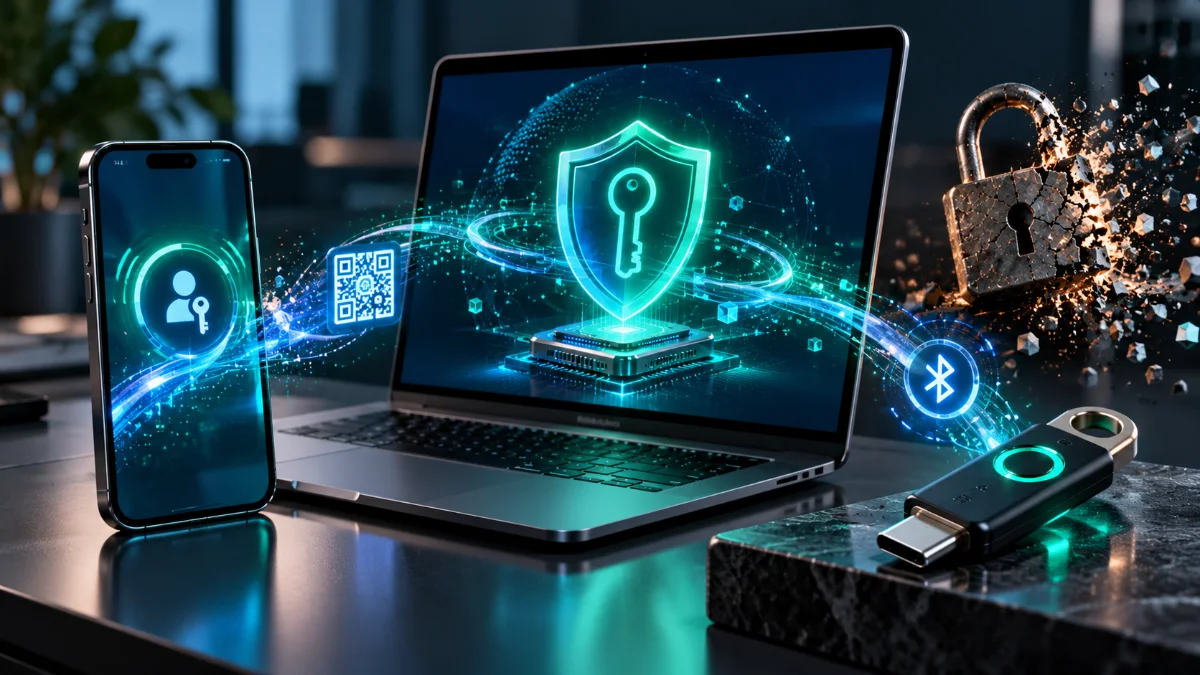
+---------------------------------------------------------------------------------------------------+
|                   CTAP2.2 Hybrid Transport (Cross-Device Authentication)                          |
+---------------------------------------------------------------------------------------------------+

  [ Windows 11 Client (Browser) ]                                   [ Android 15 / iOS 18 Phone ]
                 |                                                                |
                 | 1. Generates Ephemeral P-256 Keypair & 16-Byte QR Secret       |
                 |    Displays numeric-chunked "FIDO:/..." QR Code                |
                 | < - - - - - - - - - - - - - - - - - - - - - - - - - - - - - -  |
                 |                                      2. Camera Scans QR Code   |
                 |                                                                |
                 | 3. Derives Ephemeral ID (EID) from QR Secret via HKDF          |
                 |    Broadcasts BLE Advertisement Packet over 2.4 GHz Radio      |
                 | <============================================================= |
                 |    [Physical Proximity Verified via Local Bluetooth Radio]     |
                 |                                                                |
                 | 4. Establishes Noise Protocol Framework E2EE WebSocket Tunnel  |
                 |    (Noise_KNpsk0_P256_AESGCM_SHA256 via Cloud Relay)           |
                 | <------------------------------------------------------------> |
                 |                                                                |
                 | 5. Sends CTAP2 authenticatorGetAssertion (rpIdHash, Challenge) |
                 | -------------------------------------------------------------> |
                 |                                                                |
                 |                                     6. User Scans Fingerprint  |
                 |                                        Titan M2 / SEP Signs    |
                 |                                                                |
                 | 7. Returns Signed Assertion (UV=1, UP=1) over E2EE Tunnel      |
| <------------------------------------------------------------- |- The Numeric-Mode
FIDO:/QR Code: The Windows 11 browser generates an ephemeral P-256 keypair and a 16-byte random secret. It encodes a CBOR structure containing its compressed 33-byte public key, the 16-byte secret, a tunnel server routing ID, and the current Unix timestamp. To maximize QR scan reliability, theFIDO:/URI converts every 7 bytes of CBOR binary data into a 17-digit base-10 integer string, allowing the QR code to use high-density Numeric encoding mode. - Physical Proximity Enforcement via BLE: Why can’t a remote phisher screenshot the
FIDO:/QR code on their own machine, stream it to a victim on Discord, and trick the victim into scanning it to log the attacker in? Because the QR code alone cannot complete the connection. Once the phone scans the QR code, the phone uses HKDF to derive an Ephemeral Identifier (EID) from the QR secret and broadcasts a Bluetooth Low Energy (BLE) advertisement packet over its physical 2.4 GHz radio. The Windows 11 PC must physically receive that BLE broadcast over its local Bluetooth adapter before it will proceed. If the phone and PC are not within Bluetooth radio range (~10 meters), the ceremony aborts—defeating remote QR relay attacks. - Noise Protocol E2EE Tunnel: Because raw BLE GATT connections across Windows, Android, and iOS stacks are notoriously slow and unreliable for large CBOR payloads, BLE is only used to prove physical proximity and exchange routing nonces. Once proximity is verified, both devices open a high-speed WebSocket connection through a cloud relay server and execute a Noise Protocol Framework (
Noise_KNpsk0_P256_AESGCM_SHA256) handshake seeded by the QR secret and BLE payload. All CTAP2 commands and signatures travel through this end-to-end encrypted tunnel; the relay server sees only opaque ciphertext.
Step 1: How to Set Up Passkeys on Android 15+ and Windows 11 (24H2+)
To configure a seamless cross-device and native passkey workflow between Android 15+ and Windows 11 (24H2 or newer):
A. Android 15+ Credential Manager Configuration:
- Open Settings > Passwords, passkeys & accounts.
- Under Preferred service, select your primary credential provider (e.g., Google Password Manager, 1Password, or Bitwarden). Android 15’s
androidx.credentialsAPI allows enabling multiple providers simultaneously so the OS bottom-sheet surfaces credentials from both Google and third-party vaults. - Harden the device against physical coercion: Navigate to Settings > Security & privacy > Device unlock > Theft protection.
- Toggle on Theft Detection Lock, Offline Device Lock, and Identity Check (requires biometrics when accessing passkeys outside trusted locations).
B. Windows 11 (24H2+) Native TPM & Third-Party Plugin Setup:
- Verify TPM 2.0 and Windows Hello: Run
tpm.mscto confirm your TPM 2.0 is ready. Navigate to Settings > Accounts > Sign-in options and configure Windows Hello (Facial recognition, Fingerprint, or PIN). This initializes the NGC container inside VBS. - Enable Third-Party Passkey Providers (Windows 11 24H2+ API): Windows 11 24H2 introduced the native WebAuthn Plugin Authenticator API (
Windows.Security.Credentials.UI). Go to Settings > Accounts > Passkeys > Advanced options and toggle on your installed third-party credential manager (such as 1Password or Bitwarden) to allow it to fulfill native OS-level WebAuthn requests alongside Windows Hello. - Execute Cross-Device Hybrid Linking (Android to Windows):
- Ensure Bluetooth is enabled on both the Windows 11 PC and the Android 15 phone (do not manually pair the devices in Bluetooth settings; CTAP2.2 uses connectionless BLE advertisements).
- In Chrome, Edge, or Firefox on Windows 11, trigger a passkey login or registration on a Relying Party.
- When the Windows Security prompt appears, select iPhone, iPad, or Android device and scan the
FIDO:/QR code using your Android camera app. - Check the box Remember this phone on Windows. On subsequent logins, Windows 11 will send a cryptographically authenticated wake notification directly to your Android phone over the pre-established hybrid state without requiring you to scan a QR code—while still verifying physical proximity via BLE before completing the assertion.
Step 2: Configuring macOS Sequoia & iOS 18+ with Advanced Data Protection
If your primary passkey vault resides in Apple’s ecosystem, you should harden the iCloud Keychain escrow against cloud-side compromise:
- Enable Stolen Device Protection: On iOS 18+, navigate to Settings > Face ID & Passcode > Stolen Device Protection and set Require Security Delay to Always (or Away from Familiar Locations).
- Enable Advanced Data Protection (ADP): Navigate to Settings > [Your Name] > iCloud > Advanced Data Protection. Enabling ADP forces Apple to purge its server-side recovery encryption keys for iCloud backups and Keychain metadata, ensuring that passkeys remain strictly end-to-end encrypted under keys controlled exclusively by your trusted devices’ Secure Enclaves and your 28-character offline Recovery Key.
- Enroll Hardware Security Keys for Apple Account: In Settings > [Your Name] > Sign-In & Security > Two-Factor Authentication, scroll to the bottom and tap Security Keys. Register two physical FIDO2 keys (e.g., YubiKey 5C NFC). This replaces Apple’s 6-digit SMS/device verification codes with strict
BE=0FIDO2 enforcement at the Apple Account root level.
6. Technical FAQ: Passkey Architecture & Edge Cases
1. What happens to my passkeys if all my synced devices are destroyed in a fire?
For multi-device synced passkeys (BE=1, BS=1), the private keys are stored in an end-to-end encrypted cloud enclave (iCloud Keychain, Google Cloud Key Vault, or a third-party password manager). However, because the cloud provider cannot decrypt that vault on your behalf, signing into a brand-new replacement phone requires an unwrapping factor:
- Apple: Requires either your previous device’s passcode (entered via secure escrow against Apple’s hardware security modules, which enforce strict hardware attempt limits) or your 28-character Recovery Key / designated Account Recovery Contact if Advanced Data Protection is enabled.
- Google: Requires the screen lock PIN/pattern of a previously registered Android device or recovery via a registered backup hardware security key.
- 1Password / Bitwarden: Requires your Master Password + Secret Key (or a printed Emergency Kit recovery code).
2. Can a website track me across different accounts using my passkey’s attestation data?
No. During a passkey registration (navigator.credentials.create()), the browser generates a completely unique, uncorrelated keypair (ES256 or EdDSA) and a random credentialId scoped exclusively to that specific rpId. In parallel, consumer platform authenticators (Apple Passwords, Google Password Manager, Windows Hello) use Self Attestation or return an all-zero/generic AAGUID unless enterprise attestation policies are explicitly configured on a managed device. Even on hardware security keys that return a manufacturer AAGUID (when attestation: "direct" is requested), that 16-byte identifier is identical across an entire production batch of minimum 100,000+ physical keys, preventing individual user fingerprinting.
3. How does the WebAuthn PRF (Pseudo-Random Function) extension enable zero-knowledge encryption with passkeys?
Standard WebAuthn signatures (ES256) are non-deterministic and use a public key that is known to the server, meaning you cannot use a standard WebAuthn signature output directly as a symmetric encryption key to encrypt local client data (like a zero-knowledge vault or end-to-end encrypted notes app). The WebAuthn prf extension solves this by leveraging the CTAP2 hmac-secret extension. During authentication, the client passes a known salt to the authenticator. The authenticator computes HMAC-SHA-256 over the internal secret and salt inside the secure enclave and returns a deterministic 32-byte output to the browser’s JavaScript environment without ever transmitting it to the Relying Party server. The client application then runs HKDF over those 32 bytes to derive an AES-256-GCM key for local client-side encryption.
4. Why do synced passkeys return a signCount of 0 in authenticatorData?
In Bytes 33–36 of authenticatorData, the specification defines a 32-bit unsigned integer called signCount. On single-device hardware security keys (BE=0), this counter increments monotonically on every assertion, allowing the Relying Party to detect if a hardware token was physically cloned (if the server receives a signCount less than or equal to the previously recorded value, it flags a cloning anomaly). However, for multi-device synced passkeys (BE=1, BS=1), a user might authenticate on their laptop while offline on an airplane and then authenticate on their phone before the two devices synchronize their state. Incrementing a counter across distributed, asynchronous devices would cause false-positive cloning lockouts on the server. Therefore, WebAuthn Level 3 permits synced authenticators to set signCount = 0 permanently.