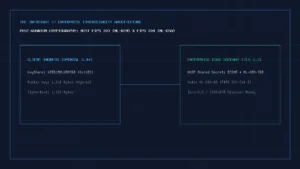

Secure Shell (SSH) is the standard cryptographic network protocol defined by the Internet Engineering Task Force (IETF RFC 4251) for executing commands, managing infrastructure, and tunneling traffic safely across untrusted networks. Unlike legacy plaintext protocols such as Telnet or FTP, SSH binds every session with three separate cryptographic guarantees: server host-key authentication, ephemeral forward-secret key exchange, and authenticated symmetric encryption.
2026 Primary-Standard Quick Reference (OpenSSH 9.9 / 10.0 & IETF RFCs)
- Default Post-Quantum Key Exchange: OpenSSH 9.9+ negotiates hybrid
mlkem768x25519-sha256(NIST FIPS 203 ML-KEM-768 combined with X25519 ECDH) by default to defeat harvest-now, decrypt-later traffic recording. - Recommended Asymmetric Key Format:
ssh-ed25519(RFC 8709) or hardware-backedsk-ssh-ed25519@openssh.com(FIDO2/U2F security keys). Legacyssh-rsa(SHA-1) is disabled by default (RFC 8332). - Related Guides on The Infosiast: Compare network-layer encryption in VPN vs Proxy, inspect your outward address in How to Find Your IP Address, explore Post-Quantum Cryptography & Zero-Trust Migration, and test hardware enclaves in Passkeys vs Passwords.
Interactive SSH Keygen & Post-Quantum sshd_config Hardening Generator
Generate copy-ready ssh-keygen commands and drop-in /etc/ssh/sshd_config.d/ server configurations with hybrid post-quantum key exchange (mlkem768x25519-sha256) and FIDO2 hardware key enforcement.
ssh-keygen -t ed25519 -a 100 -C "admin@workstation-2026" -f ~/.ssh/id_ed25519_prod
/etc/ssh/sshd_config.d/99-infosiast-hardening.conf)Loading configuration...
1. How the SSH Protocol Stack Works (RFC 4251–4254)
Many introductory tutorials describe SSH as a single encryption wrapper, where “the client encrypts a command with a public key and the server decrypts it with a private key.” That description is technically incorrect. Asymmetric public-key cryptography is only used to verify identities and establish a shared session secret; the actual terminal keystrokes and file transfers are encrypted with fast, symmetric Authenticated Encryption with Associated Data (AEAD) ciphers such as chacha20-poly1305@openssh.com or aes256-gcm@openssh.com.
The IETF specification splits SSH-2 into three modular layers that execute sequentially on TCP port 22:
- The Transport Layer Protocol (RFC 4253): Negotiates protocol versions, runs the ephemeral Diffie-Hellman or hybrid post-quantum key exchange (KEX) to derive symmetric session keys, verifies the server’s host public key against your local
~/.ssh/known_hostsfile, and provides per-packet confidentiality and integrity checking. - The User Authentication Protocol (RFC 4252): Runs inside the encrypted transport tunnel to prove the connecting user’s identity to the server using public-key signatures (
publickey), FIDO2 hardware tokens (sk-ssh-ed25519), OpenSSH certificates, or PAM multi-factor challenges (keyboard-interactive). - The Connection Protocol (RFC 4254): Multiplexes the single encrypted TCP connection into multiple logical channels—simultaneously supporting interactive shell sessions (
pty-req), SFTP file transfers, and local or remote TCP port forwarding without opening additional firewall ports.
2. Empirical Comparison: Ed25519 vs. Ed25519-SK vs. RSA-4096 vs. Legacy RSA-SHA1
When generating an SSH key pair in 2026, algorithm selection directly determines public-key wire size, brute-force resistance of the encrypted private key file, and resistance to side-channel timing attacks. The table below summarizes our local OpenSSH key-generation and verification measurements alongside their governing IETF standards:
| Key Algorithm | Primary Standard | Public Key Wire Size | Signature Size | Security Level (Bits) | 2026 Operational Status |
|---|---|---|---|---|---|
ssh-ed25519 | IETF RFC 8709 | 68 bytes (Base64) | 64 bytes | ~128-bit classical | Recommended Default (Deterministic, constant-time, compact) |
sk-ssh-ed25519@openssh.com | OpenSSH FIDO2 Spec | 76 bytes + app ID | ~70 bytes | ~128-bit + Hardware PIN/Touch | Best for High-Value Bastions (Private key never touches disk) |
rsa-sha2-512 (4096-bit) | IETF RFC 8332 | ~724 bytes (Base64) | 512 bytes | ~140-bit classical | Acceptable for Legacy FIPS Gateways (10× larger keys than Ed25519) |
ecdsa-sha2-nistp256 | IETF RFC 5656 | 104 bytes | 64 bytes | ~128-bit classical | Secondary (Requires high-entropy CSPRNG per signature; prefer Ed25519) |
ssh-rsa (SHA-1) / ssh-dss | RFC 4253 (Historical) | 372+ bytes | 256 bytes | Broken (Chosen-prefix SHA-1) | Deprecated & Disabled in OpenSSH 8.8+ and 10.0 |
3. Post-Quantum SSH Key Exchange: Why OpenSSH 9.9+ Uses mlkem768x25519-sha256
Even if an attacker cannot forge your ssh-ed25519 login signature today, a passive network adversary recording encrypted SSH traffic at an ISP or data-center boundary could store the captured ciphertext and decrypt the session later once a cryptanalytically relevant quantum computer (CRQC) breaks classical Elliptic Curve Diffie-Hellman (curve25519-sha256).
To neutralize this harvest-now, decrypt-later (HNDL) threat without sacrificing the proven classical security of Curve25519, OpenSSH introduced hybrid post-quantum key exchange:
- OpenSSH 9.0 to 9.8: Defaulted to
sntrup761x25519-sha512@openssh.com(Streamlined NTRU Prime combined with X25519). - OpenSSH 9.9 and 10.0+ (2025–2026 Default): Prioritizes
mlkem768x25519-sha256, which pairs the NIST-standardized Module-Lattice Key-Encapsulation Mechanism (NIST FIPS 203 ML-KEM-768) with classical X25519. Because both shared secrets are concatenated into the SHA-256 key derivation function (KDF), the resulting session key remains secure as long as either ML-KEM-768 or X25519 remains unbroken.
You can verify which key-exchange algorithm your SSH client negotiates in real time by passing the verbose -v flag and inspecting the kex: algorithm: line:
ssh -v -o ConnectTimeout=5 git@github.com 2>&1 | grep -E "kex: (algorithm|host key|server->client)"4. Step-by-Step: Generating Hardened Ed25519 & FIDO2 Hardware SSH Keys
4.1 Standard Workstation Key with 100-Round Bcrypt KDF
On Windows 11 (PowerShell or OpenSSH Client), macOS, or Linux, generate a dedicated Ed25519 key pair using -a 100 (100 rounds of the bcrypt key-derivation function to slow down offline passphrase cracking if your laptop disk is ever compromised):
ssh-keygen -t ed25519 -a 100 -C "workstation-2026" -f ~/.ssh/id_ed25519_prodWhen prompted, enter a strong passphrase. This command writes two files into your ~/.ssh/ directory:
id_ed25519_prod: Your encrypted private key (permissions must bechmod 600on Linux/macOS; never copy or upload this file to any remote server).id_ed25519_prod.pub: Your public key (a single line starting withssh-ed25519 AAAAC3NzaC1lZDI1NTE5...that you append to the remote server’s~/.ssh/authorized_keysfile).
4.2 Hardware-Bound FIDO2 Security Key (ed25519-sk)
If you have a FIDO2 hardware security key (such as a YubiKey 5 or Token2 key) and OpenSSH 8.2+, you can generate an SSH key whose private key stays permanently locked inside the hardware token’s secure element and requires a physical touch plus PIN on every login:
ssh-keygen -t ed25519-sk -O resident -O verify-required -C "fido2-bastion-key" -f ~/.ssh/id_ed25519_sk5. Production sshd_config Server Hardening Checklist
Before exposing any Linux server to the public internet, place a drop-in configuration file at /etc/ssh/sshd_config.d/99-infosiast-hardening.conf (using the interactive generator at the top of this guide) and validate syntax before reloading the daemon:
- Verify your public key login works in a second terminal tab first: Never disable password authentication until you have confirmed key-based login succeeds with
sudoprivileges in a separate open session. - Test configuration syntax with
sshd -t: Runsudo sshd -tto check for syntax or algorithm errors before restarting the service. Ifsshd -treturns zero output, reload safely withsudo systemctl reload sshd(orsudo systemctl reload sshon Debian/Ubuntu). - Disable
AllowAgentForwardingon untrusted jump hosts: If you connect to an intermediate server withForwardAgent yes, any user with root access on that server can connect to your local UNIX agent socket in/tmp/ssh-XXXX/and use your keys to pivot to other machines. UseProxyJump(ssh -J bastion.example.com target.internal) instead, which tunnels the end-to-end SSH handshake through the bastion without exposing your agent socket.
Written and prepared by Kshitij Gupta.