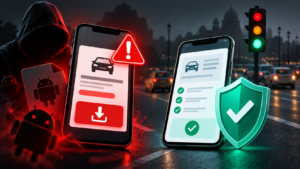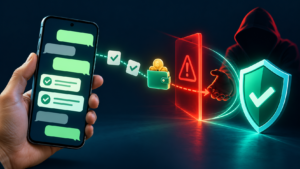
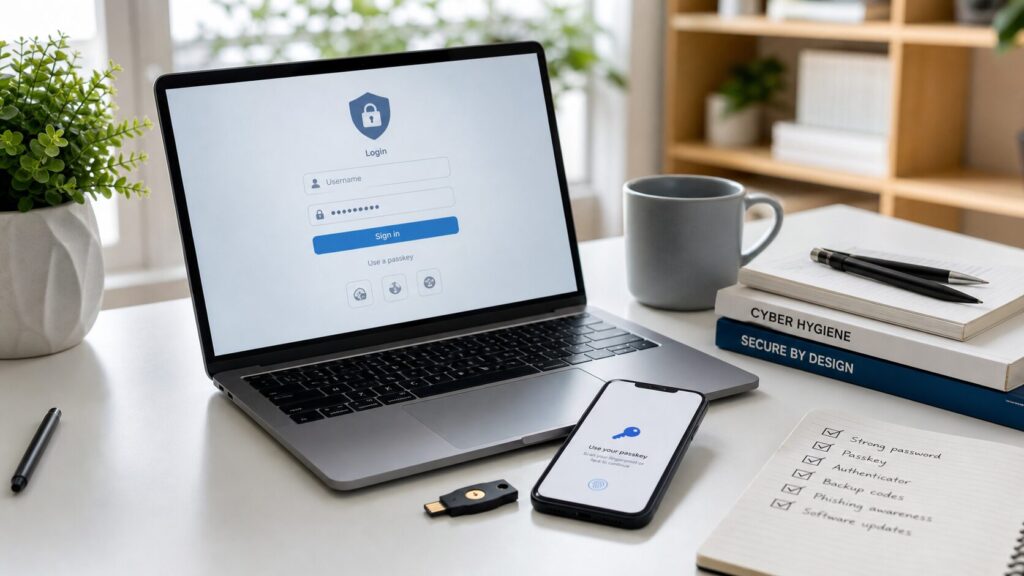
Phishing-resistant account security means building your accounts so a fake login page, a rushed phone call, or a stolen one-time password is not enough to take control. For most people and small teams, that means using passkeys where they are available, keeping a password manager for accounts that still need passwords, adding an authenticator app or hardware security key for important logins, storing recovery codes safely, and reviewing recovery email and phone settings before an attacker does.
This guide is written for Indian readers who use Google, Microsoft, Apple, WhatsApp, Instagram, banking apps, work email, college portals, cloud storage, ecommerce accounts, and creator tools. The same principles are useful globally. The goal is not to make every account perfect on day one. The goal is to make your most important accounts hard to phish, hard to recover by an attacker, and easy for you to recover honestly if your phone is lost.
Why account security needs a stronger model now
Most account takeovers do not start with an elite hacker breaking encryption. They start with a believable message. A student gets an email saying a scholarship account will be closed. A shop owner receives a fake delivery dispute. A creator is told their social account has a copyright strike. An employee receives a shared document that looks like it came from a known client. The message pushes the person toward a login page, OTP request, remote-support app, or “verification” call.
Traditional advice often says “use a strong password and enable two-factor authentication.” That is still better than weak password-only logins, but it is incomplete. A strong password can be entered into a fake page. A one-time password can be tricked out of a victim. A recovery email can be compromised first and then used to reset everything else. A phone number can become a weak point if SMS messages are intercepted, forwarded, or socially engineered.
Modern account security has to assume that people will occasionally click the wrong link, receive a convincing message, or panic during a financial threat. A good setup reduces the damage from that human moment. It asks: if I accidentally visit a fake page, can the attacker still sign in? If my phone is stolen, can I recover safely? If my email is breached, can my bank, cloud, and social accounts also fall? If I run a small team, can one intern’s compromised account expose the whole business?
What “phishing-resistant” really means
Phishing-resistant authentication is designed so the login proof works only for the real website or app, not for a lookalike controlled by an attacker. A passkey or properly configured hardware security key does not simply produce a code that can be typed anywhere. It uses cryptographic checks tied to the correct domain or app. If the user is on a fake page, the login should fail because the fake page cannot complete the same authentication challenge for the real service.
That is the big difference between a passkey and a normal OTP. An OTP is a short code. If an attacker can persuade you to read it aloud, type it into a fake page, or share it in chat, the code may be usable immediately. A passkey is not a shareable code. It is stored in a password manager, device secure storage, or hardware security key, and it is released only after local approval such as fingerprint, face unlock, PIN, or device unlock.
Phishing resistance does not mean the account is impossible to compromise. Attackers may target account recovery, malware, stolen devices, session cookies, weak admin access, or support processes. But passkeys and security keys close one of the most common doors: credential theft through fake login pages.
The account security stack
A strong setup has layers. You do not need every layer for every low-value account, but your primary email, financial accounts, phone account, cloud storage, social profiles, domain registrar, hosting account, and work tools deserve the full stack.
1. A password manager for accounts that still use passwords
Use a password manager to create long, unique passwords. The most important benefit is uniqueness. If one small website leaks a reused password, the attacker should not be able to try that same password on your email, bank, or social media accounts. A password manager also helps you spot phishing because it usually fills credentials only on the correct domain.
Choose a reputable password manager, protect it with a strong master password, and enable its own multi-factor authentication. For families and small teams, use shared vaults carefully so shared passwords can be revoked when a person leaves. Do not keep critical passwords in unprotected notes, screenshots, chat messages, email drafts, or browser bookmarks.
2. Passkeys wherever major services support them
Passkeys are now supported by many major platforms, including Google, Apple, Microsoft, GitHub, PayPal, WhatsApp-related account flows in some regions, and many enterprise apps. The exact availability changes by service, device, and country, so check the security settings of each account.
For most personal users, start with your primary email account. That email is the recovery path for many other services. Then add passkeys to your password manager, cloud storage, social accounts, developer accounts, and financial apps that support them. If a service allows more than one passkey, add at least two: one on your daily phone or computer and one backup method. If you use both Android and Windows, or iPhone and Mac, test how passkeys sync and how recovery works before relying on a single device.
3. Authenticator app or hardware security key for high-value accounts
When passkeys are not available, use an authenticator app instead of SMS wherever possible. Authenticator apps generate time-based codes on your device. They are not fully phishing-resistant because a code can still be entered into a fake page, but they are usually stronger than SMS. For very important accounts, use a hardware security key that supports FIDO standards. Security keys are useful for journalists, creators, founders, administrators, developers, activists, and anyone whose email or social account would be a high-value target.
A hardware key is a physical device, often USB-C, USB-A, NFC, or Lightning. You register it with an account and then physically touch or approve it during sign-in. Buy from trusted channels, register at least two keys, and store one backup away from your laptop bag. If you register only one key and lose it without recovery codes, you may lock yourself out.
4. Recovery codes and recovery settings
Recovery is where many strong setups quietly fail. A person enables strong login security but leaves an old college email, unused phone number, or weak backup account as a recovery option. Attackers often look for these weaker routes.
For every critical account, check the recovery email, recovery phone number, backup codes, trusted devices, logged-in sessions, and delegated access. Remove old devices and email addresses you no longer control. Download or print backup codes where the service offers them. Store those codes offline or in a secure vault, not as plain screenshots in your photo gallery. If you run a business, document who can recover the owner account if the owner’s phone is lost or unavailable.
5. Device and session hygiene
Even phishing-resistant login can be weakened if a device is infected, unlocked, or shared carelessly. Keep your phone and computer updated. Use screen lock. Avoid installing remote-access apps after a stranger tells you to “verify” something. Review active sessions in Google, Microsoft, Apple, Instagram, WhatsApp, banking, hosting, and cloud accounts. Sign out of old devices after travel, repair, resale, office changes, or shared computer use.
MFA methods compared
| Method | Strength | Main risk | Best use |
|---|---|---|---|
| Password only | Weak | Password reuse, leaks, phishing | Low-value accounts only, and only with unique passwords |
| SMS OTP | Better than password only | OTP phishing, SIM or phone-number risk, message forwarding | When no stronger option exists |
| Email OTP | Depends on email security | If email is compromised, many accounts fall | Secondary accounts, not core identity |
| Authenticator app | Good | Codes can still be phished in real time | Most important accounts when passkeys are unavailable |
| Push approval | Good if number matching exists | Approval fatigue and fake prompts | Work accounts with careful training |
| Passkey | Strong | Recovery setup and device loss need planning | Primary email, cloud, social, financial, work accounts |
| Hardware security key | Very strong | Loss of key if no backup is registered | Admins, creators, journalists, developers, business owners |
The ranking is not about shame. Many banks and government services still rely on SMS OTPs. Use the strongest method each service provides, then reduce surrounding risks: protect the phone number, secure the email account, avoid sharing codes, and set up alerts.
A practical setup for personal accounts
Start with your account map. Write down the accounts that would hurt most if lost: primary email, phone number account, bank and UPI apps, cloud storage, WhatsApp, Instagram, X, LinkedIn, YouTube, domain or hosting account, college portal, work email, password manager, and tax or government-service logins. You do not need to list every shopping site first. Protect the accounts that can reset or control other accounts.
Next, strengthen your primary email. If you use Google, review the steps in our Google Account Safety Guide. Add passkeys if available, turn on two-step verification, review recovery email and phone, remove unknown devices, check forwarding rules, and review third-party app access. If your primary email is Microsoft or Apple, follow the same pattern in those account settings.
Then secure your password manager. Create a long master password you do not use anywhere else. Enable MFA for the password manager. Save emergency access instructions for a trusted family member if the service supports it and if that fits your situation. Exporting passwords into an unencrypted file for “backup” is dangerous unless you know exactly how to store and delete it securely.
Now move through your top ten accounts. Replace reused passwords with unique ones. Add passkeys where possible. If passkeys are not offered, use an authenticator app. Save backup codes. Turn on login alerts. Remove old recovery methods. Review connected apps. For social accounts, also check page admins, ad accounts, creator tools, and delegated access because attackers often keep a hidden path even after the main password is changed.
Finally, make a recovery kit. It can be a secure digital note inside your password manager plus printed backup codes for the most critical services. The kit should answer: where are backup codes stored, which devices hold passkeys, where is the backup security key, which email and phone are recovery methods, and what should be done first if the phone is lost?
A practical setup for small teams
Small teams are often more vulnerable than large companies because account ownership is informal. A founder creates the email, a freelancer manages the website, an intern runs social media, and a former employee still has access to analytics. When something goes wrong, nobody knows which account owns the domain, payment account, or social page.
Create a simple account register for critical systems: domain registrar, hosting, WordPress administrator accounts, business email, cloud drive, analytics, Search Console, ad accounts, payment accounts, social pages, design tools, code repositories, and password manager. For each account, record the owner role, recovery email, MFA method, backup administrator, and date last reviewed. Do not record passwords in the register; store them in the password manager.
Use role-based access instead of shared owner passwords. If a designer needs Canva or WordPress access, give that person their own login with the minimum role required. If someone leaves, remove their access the same day. For WordPress, avoid giving full administrator access for writing tasks. For social pages and ad accounts, review business manager roles, page roles, and payment permissions monthly.
For the owner accounts, register at least two phishing-resistant methods. A founder’s email, hosting account, domain registrar, payment gateway, and password manager should not depend on a single phone. Keep a backup security key or recovery method in a separate safe place. Test recovery before an emergency, not during one.
How passkeys work in plain language
A passkey replaces the old “remember and type a secret” model. When you create a passkey for a service, your device creates a key pair. The public part is shared with the service. The private part stays on your device, hardware key, or password manager. During sign-in, the service sends a challenge. Your device proves it has the private key, usually after you approve with fingerprint, face unlock, PIN, or device unlock.
The important part is that the proof is connected to the real service. A fake login page cannot simply collect your passkey the way it can collect a password or OTP. This is why passkeys are considered phishing-resistant. They also reduce password reuse because there is no password to reuse for that service.
There are two common experiences. A synced passkey may be stored in a platform account or password manager and available across your devices after secure sign-in. A device-bound passkey or hardware security key may stay on one device. Synced passkeys are convenient. Hardware security keys are excellent for high-risk accounts. The right choice depends on your risk, comfort, and recovery plan.
Recovery planning: the part people skip
Security advice often focuses on stopping attackers, but good security also protects you from accidental lockout. A phishing-resistant setup without recovery planning can become fragile. If your only passkey is on a phone that is stolen, broken, or reset, you may need another way back in.
For important accounts, keep at least two approved ways to sign in or recover. That could mean a passkey on your phone and laptop, a hardware key plus backup key, an authenticator app plus printed recovery codes, or a password manager emergency kit. Avoid depending entirely on a phone number if the service offers stronger recovery options.
Recovery codes should be treated like spare keys. Anyone with the codes may be able to access the account. Store them in a sealed envelope, safe, bank locker, trusted password manager vault, or other controlled place. Label them clearly enough that you know what they are, but do not leave them exposed in a desk drawer shared with visitors or staff.
For families, decide what happens if a parent loses access to the main email account. For businesses, decide what happens if the founder is travelling, hospitalised, or unreachable. The recovery process should be written down and accessible to the right people. A secure plan is better than a panic call to customer support from an unknown device.
What to do after a suspicious login or phishing attempt
If you think you entered a password or OTP into a fake page, act quickly from a trusted device. Do not keep interacting with the suspicious message. Open the service by typing the official address or using the official app. Change the password if the account still uses one. Revoke unknown sessions. Remove unknown recovery emails, phone numbers, forwarding rules, app passwords, connected apps, and delegated access. Add stronger MFA or passkeys immediately.
If money is involved in India, contact the relevant bank or payment provider immediately and use official reporting channels. For cyber fraud involving financial loss, India’s cybercrime reporting system and emergency helpline are important starting points. Keep transaction IDs, screenshots, phone numbers, UPI IDs, email headers, and chat records. Do not delete evidence because it feels embarrassing; evidence helps escalation.
If your WhatsApp or social account is compromised, warn close contacts through another channel. Attackers often message friends, family, customers, or followers asking for money, votes, investment, or verification codes. For more scam-specific patterns, read our guides on OTP scams, WhatsApp scams in India, and social media security.
Common mistakes that weaken good security
The first mistake is keeping SMS as the only second factor for critical accounts when better options are available. SMS is still useful when it is the only choice, but it should not be your strongest layer for email, cloud, domain, hosting, or business accounts.
The second mistake is leaving recovery methods unreviewed. Old email accounts, former phone numbers, shared family emails, and ex-employee accounts can become hidden doors. Review recovery settings whenever you change phone numbers, jobs, devices, domains, hosting providers, or business partners.
The third mistake is approving push notifications without reading them. If an app asks you to approve a login you did not start, deny it. If your organization uses push MFA, prefer number matching or location/context prompts where available. Repeated unexpected prompts can be an attack, not a technical glitch.
The fourth mistake is assuming biometric unlock means the service has your fingerprint or face. In normal passkey flows, biometrics unlock the local device credential; the service receives cryptographic proof, not your fingerprint image. This distinction matters because some users avoid stronger login options due to misunderstanding how biometric approval is used.
The fifth mistake is ignoring old sessions. If you changed a password but did not sign out old sessions, an attacker may remain logged in. Many services have a “where you are signed in” page. Review it after any suspicious event and on a regular schedule.
Maintenance schedule
Use a simple rhythm. Once a month, review your primary email, password manager alerts, bank and payment app alerts, and active sessions for the accounts you use most. Once every quarter, review recovery methods, backup codes, social account admins, WordPress admins, cloud sharing, and business-manager roles. Once a year, test your recovery plan for your most important accounts and replace any lost backup codes or security keys.
Small teams should make account review part of offboarding and onboarding. When someone joins, give their own login and the minimum permissions needed. When someone leaves, remove access the same day. Every quarter, review administrators, payment permissions, shared folders, API tokens, app passwords, and external integrations.
Recommended setup by risk level
| Risk level | Recommended setup |
|---|---|
| Basic personal use | Password manager, unique passwords, MFA on primary email, recovery settings reviewed |
| Active social or creator accounts | Passkeys where available, authenticator app, backup codes, admin-role review, login alerts |
| Business owner or website admin | Password manager with MFA, passkeys/security keys for email and hosting, backup admin, documented recovery kit |
| High-risk user | Hardware security keys, minimal SMS reliance, locked-down recovery options, regular session review, separate devices for sensitive work if needed |
Sources and further reading
This guide is based on public guidance and standards from cybersecurity and identity organizations. CISA explains why MFA matters and separately discusses phishing-resistant MFA for higher-risk environments. NIST’s digital identity guidance provides a deeper standards view of authenticators and phishing resistance. The FIDO Alliance explains passkeys and the FIDO authentication model used by many major platforms. Indian readers should also know about the Cyber Swachhta Kendra initiative for botnet and malware awareness.
- CISA: More than a Password
- CISA: Implementing Phishing-Resistant MFA
- NIST SP 800-63B-4: Authentication and Authenticator Management
- FIDO Alliance: Passkeys
- Cyber Swachhta Kendra
Account security is not a one-time setting. It is a small system: strong login, sensible recovery, clean devices, reviewed sessions, and calm response steps. Set up the strongest protection first on the accounts that control everything else. That one decision can stop many phishing attempts from turning into a full account takeover.