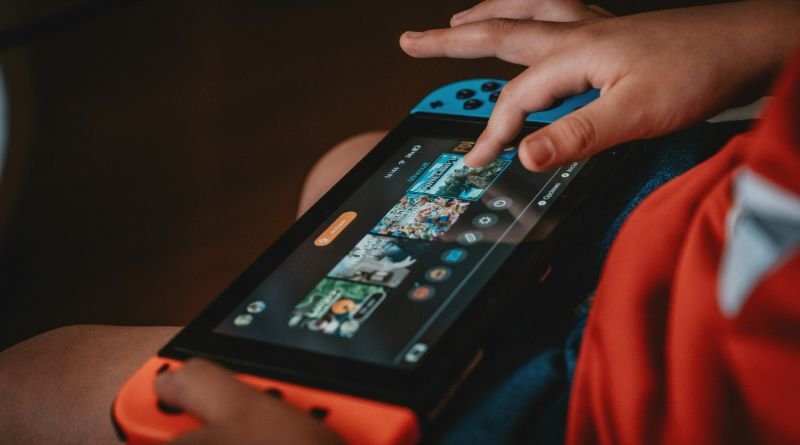
Reviewed on September 9, 2026. Minecraft is a sandbox game in which players explore procedurally generated worlds, collect or use blocks, build structures, and create their own goals. This guide explains its main modes, editions, learning value, multiplayer choices, and safety settings for beginners and families.
Minecraft in one table
| Part | What it means | Best for |
|---|---|---|
| Survival mode | Players gather resources, craft, manage health and hunger, and face environmental dangers. | Progression, exploration, and challenge. |
| Creative mode | Players have broad access to blocks, can fly, and focus on construction without normal survival limits. | Large builds, design, and experimentation. |
| Single-player | One player uses a locally managed world. | Private learning and self-paced play. |
| Multiplayer | Players join friends, servers, or hosted worlds, depending on edition and settings. | Cooperative projects and community play. |
| Minecraft Education | A classroom-focused version with lessons and educator tools. | Structured teaching, collaboration, and coding activities. |
What do players actually do?
Minecraft does not require one fixed story. In Survival, a beginner may gather wood, make tools, build shelter, find food, mine, explore, and gradually take on harder challenges. In Creative, the same player can ignore resource collection and construct a house, city, machine, sculpture, or imaginary landscape.
The block system creates a simple visual language with deep combinations. Redstone components can form circuits and automated mechanisms. Command systems and supported coding activities can introduce logic, coordinates, variables, and step-by-step problem solving. The game can therefore support play, design, storytelling, and technical experimentation. Understanding these network dynamics is closely connected to our operational guide on windows 10 esu.
Java Edition and Bedrock Edition
Players should check the current official comparison before buying because supported devices, multiplayer compatibility, marketplace systems, parental controls, and customization differ. Java Edition is associated with Windows, macOS, and Linux computer play and a large community modification ecosystem. Bedrock-based versions support a wider range of devices and cross-platform play among compatible systems.
A world, add-on, mod, skin, or server designed for one edition may not work in another. “Minecraft” in a video title does not guarantee compatibility. Confirm the edition, version, device, and installation instructions before downloading anything.
Is Minecraft educational?
Minecraft can create useful learning conditions, but playing does not automatically teach every claimed skill. A well-designed task can ask learners to model ratios, explain a historical setting, collaborate on a structure, test a circuit, write code, or present evidence through a build. The learning comes from the goal, reflection, feedback, and connection to subject knowledge.
Minecraft Education provides classroom-oriented lessons and tools intended to support creativity, critical thinking, and collaboration. Teachers can use structured worlds, non-player characters, coding tools, and guided challenges. Parents using the commercial game can borrow the same idea: ask the child to explain the design choices, document progress, estimate materials, or rebuild after a failed plan.
Online safety for children and families
Multiplayer changes the risk. Public servers can expose a child to strangers, chat, user-created content, links, scams, pressure to buy items, and behavior that varies by community. Start with a private or carefully supervised environment. Review the connected Microsoft/Xbox family settings, communication permissions, friend requests, purchases, and multiplayer access.
- Use a screen name that does not reveal a full name, school, phone number, address, or routine.
- Do not move conversations to private messaging apps at a stranger’s request.
- Do not share account codes, passwords, recovery information, or payment details.
- Teach children how to mute, block, report, and leave a server.
- Keep purchases behind an adult-controlled approval method.
- Agree on play times and breaks instead of relying on conflict after play has started.
If another player threatens harm, seeks sexual content, asks for secrecy, or tries to obtain identifying information, preserve relevant evidence, stop contact, use the platform’s reporting tools, and involve a trusted adult.
Mods, skins, maps, and downloads
Community creations can be valuable, but unofficial downloads are a common route for unwanted software and misleading installers. Use official marketplaces or established sources appropriate to the edition. Check the file type, reviews, required version, permissions, and whether the page is impersonating an official brand.
A “free Minecraft” download, cheat, account generator, currency offer, or urgent verification page is a strong warning sign. Never disable antivirus protection because a download page tells you to. Back up valued worlds before installing updates or third-party content.
A beginner’s first-hour plan
- Choose Creative for free building or Survival for resource-based progression.
- Learn movement, inventory, placing, and breaking blocks in a private world.
- In Survival, collect wood, craft basic tools, and build a lit shelter before night.
- Set one small goal, such as a safe house, farm, bridge, or map.
- Save and exit normally; confirm that the world appears before adding mods or joining servers.
Why Minecraft has lasted
Its durable appeal comes from a system that supports many kinds of player: builders, explorers, survival players, technical designers, storytellers, educators, and social groups. Updates add material, but the core loop remains understandable. Players can learn a few rules quickly and keep discovering combinations for years.
Official sources
- Minecraft: What is Minecraft?
- Minecraft: Creative vs. Survival mode
- Minecraft Education: Guide for parents and families
- Xbox Family Hub: Family settings and safety