Reviewed on September 6, 2026. This guide explains what an unwanted-tracker alert means and the practical steps Apple and Google provide for locating, documenting, and disabling an unknown AirTag or compatible Bluetooth tracker.
If you feel unsafe now: Move to a safe public place, contact a trusted person, and call local emergency services. Do not confront a suspected stalker or travel to a private place just to search for a tracker.
What an unknown AirTag alert means
An alert means that a Bluetooth location tracker separated from its owner appears to have been moving with you over time. It does not prove malicious tracking. The device might be attached to borrowed keys, luggage, a vehicle, or another item traveling with you. Treat the alert seriously while you check the context.
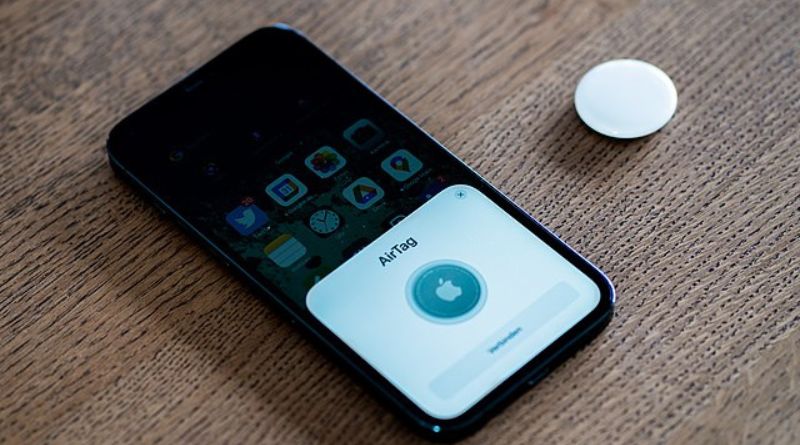
Apple and Google support cross-platform unwanted-tracker alerts. Apple says compatible iPhones and iPads can warn about AirTags, certain AirPods, Find My accessories, and compatible Bluetooth trackers. Google says Android 6 and later can provide unknown-tracker alerts for compatible Find Hub tags, headphones, and Apple AirTags.
First steps for any unwanted-tracker alert
- Open the alert and review the map. Note where the tracker was detected moving with you.
- Take screenshots. Save the alert, route, times, and any device details before they disappear.
- Consider an innocent explanation. Check borrowed belongings and ask trusted companions whether they own the item.
- Play a sound when it is safe. Both Apple and Google provide this option for supported trackers.
- Search likely hiding places. Check bags, coat pockets, mobility equipment, children’s belongings, and the accessible parts of a vehicle.
- Preserve identifying information. If you find an AirTag, use an NFC-capable phone to read available details and record its serial number.
How to find an unknown tracker on iPhone or iPad
Tap the unwanted-tracking notification, choose Continue, and use Play Sound. On supported devices, Find Nearby may show distance and direction. Apple recommends keeping iOS or iPadOS updated and enabling Location Services, Bluetooth, Tracking Notifications, and the relevant system-location settings.
You can also open the Find My app, choose Items, and review recently detected unknown items. Options vary by tracker and device. Follow the instructions shown on your phone rather than relying on screenshots from an older article.
How to find an unknown tracker on Android
Tap the notification to open its map, then use Play sound or the available nearby-finding option. Google also provides a manual scan:
- Open Settings.
- Choose Safety & emergency.
- Open Unknown tracker alerts.
- Choose Scan now.
Menu names can vary on older Android versions. Google states that turning off Bluetooth, Location Services, or Airplane Mode does not by itself stop the tracker’s owner from receiving the tracker’s location. The tracker must be disabled using its manufacturer’s instructions.
Before disabling a tracker, make a safety decision
Disabling an AirTag stops new location updates, but it may also reveal to an abusive person that the tracker was discovered. If you believe a partner, former partner, or another known person placed it, consider contacting law enforcement or a specialist support service before changing the device. Your immediate safety matters more than completing every technical step.
If you choose to disable the device, follow the instructions displayed in the alert. For an AirTag, Apple’s instructions normally involve pressing down on the metal battery cover, rotating it counterclockwise, and removing the battery. Check Apple’s current support page because device instructions can change.
Evidence worth preserving
- Screenshots of the alert and detection map
- Date, time, and places where the alert appeared
- Photographs showing where the tracker was found
- The serial number or other identifier shown by the phone
- Messages, threats, or earlier incidents that explain the safety concern
Avoid modifying or discarding the tracker if police may need it. Apple says law enforcement may request available information associated with an AirTag investigation and may need the device and serial number.
What the alert cannot tell you
The map shows where your phone detected the tracker traveling with you. It does not show every place the owner checked its location, prove who placed it, or establish criminal intent. Detection can also be delayed. Use the alert as a safety signal and evidence source, not as a complete investigation.
About the AirTag lawsuit behind the original article
This page began as a short report about allegations that AirTags had been misused for stalking and about litigation concerning Apple’s responsibility. Allegations in a lawsuit are not findings that every claim has been proven. The continuing public value of this page is the practical response guidance above, which is based on current platform instructions.
Related Online Safety guides
- Online Safety: prevent scams, report fraud, and recover accounts
- Google Account safety and recovery guide
- WhatsApp scams: warning signs and response steps
Sources
- Apple Support: What to do if an AirTag or compatible tracking device is with you
- Android Help: Find unknown trackers